|
There are currently no product reviews.
 ;
Everything is OK. Owner's Manual I downloaded ( I get link for it by email).
;
The only reason I gave this less than 4 stars, is because it shouldn't take 24 hrs to have the download available. I was surprised to find that I had to wait until the next day to be able to download the manual that I paid for.
The manual itself is the correct manual.
 ;
Excellent replacement for original Owner´s Manual. I am totally satisfied!
;
Great service. Manual is as advertised and delivered when promised.
;
Perfect quality, highly appreciated service !!!
Fast delivery of the download info, no issues at all. Recommended E-manual shop !!!
Loading the Document
Other restrictions
� The scanner cannot recognise yellow, greenish yellow, or light blue ink. � Ink, glue, and correcting fluid on documents must be dry before they pass
through the document feeder.
� All clips, staples, and pins must be removed from documents before loading
in the feeder. If these are not removed, they may damage the machine.
� Documents which are patched, taped, torn, smaller than the minimum size,
carbon backed, easily smudged, or have a slippery coated surface should be photocopied, and the copy loaded in the feeder.
Loading the Document
Up to 10 pages can be placed in the feeder at one time. The pages will automatically feed into the machine starting from the bottom page.
� If you need to send or copy more than 10 pages, place the additional pages
gently and carefully in the feeder just before the last page is scanned. Do not try to force them in, as this may cause double-feeding or jamming.
� If your document consists of several large or thick pages which must be
loaded one at a time, insert each page into the feeder as the previous page is being scanned. Insert gently to prevent double-feeding.
1
Adjust the document guides to the width of your document.
2
Insert the document face down in the document feeder. The top edge of the document should enter the feeder first.
� READY TO SEND will appear in the
display.
26
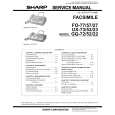 $4.99 FO77 SHARP
Service Manual Complete service manual in digital format (PDF File). Service manuals usually contains circuit diagr…
|