|
|
|
Categories
|
|
Information
|
|
Featured Product
|
|
|
 |
|
|
There are currently no product reviews.
 ;
I was impressed with the quality of service (frequent e-mails to let you know the status of your order), and the speed at which the download became available. The manual was a life saver and was not easy to track down. Thank you for such an excellent service.
;
the manual was just what i wanted it had all the revelent information required to operate the hifi .Iwould use any manual i downloaded for any item which needs a manual
;
Die gewünschte Bedienungsanleitung wurde vereinbarungsgemäß in deutsch bereitgestellt. Sie ist gut lesbar. Kein Kauderwelsch.
Danke für den Service.
;
GOOD SERVICE MANUAL GOT ALL THE INFO. THAT I NEEDED..
;
Excellent product and service. I bought a second-hand Casio CPS-60 keyboard which had no manual. Packed full of features which I had no idea how to operate . . .
Google search found this site (and others with the same manual for sale for $8.99!)
I bought the manual and within an hour the download was available. Quality of the scanned images is good - very clear - and the PDF has been created with the pages in the correct order.
I would definitely use this site again.
Before You Start Recording
� It should be noted that it may be unlawful to re-record pre-recorded tapes, records, or discs without the consent of the owner of copyright in the sound or video recording, broadcast or cable programme and in any literary, dramatic, musical, or artistic embodied therein. � The recording level is automatically set correctly, so it is not affected by the VOLUME control. Thus, during recording you can adjust the sound you are actually listening to without affecting the recording level. � While recording, you can hear sound mode effect and/or the Active Hyper Bass PRO effect through the speakers or headphones. However, the sound is recorded without these effects (see pages 12.) � While recording, the display lights red. � If recordings you have made have excessive noise or static, the unit may be too close to a TV. Place the unit away from the TV. � You can use type I tape for recording.
To protect your recordings
Cassettes have two small tabs on the back to protect unexpected erasure or recording. To protect your recording, remove these tabs. To re-record on a protected tape, cover the holes with adhesive tape.
To keep the best recording and playback sound quality
You need to clean the heads. � Clean the heads after every 10 hours of use with a wet-type head cleaning tape (available at electronic and audio shops.) When the head becomes dirty, the following symptoms will occur: � Sound quality is reduced. � Sound level decreases. � Sound drops out. � Do not play dirty or dusty tapes. � Do not touch the highly-polished head with any metalic or magnetic tools.
Adhesive tape
The use of the C-120 or thinner tape is not recommended, since characteristic deterioration may occur and this tape easily jams in the pinch rollers and the capstans.
To demagnetize the head Turn off the unit, and use a head demagnetizer (available at electronic and audio shops.)
At the start and end of cassette tapes There is leader tape which cannot be recorded onto. Thus, when recording CDs or radio broadcasts, wind the leader tape first to ensure that the recording will be made without any music part lost.
� 27 �
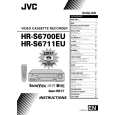 $4.99 FSA52 JVC
Service Manual Complete service manual in digital format (PDF File). Service manuals usually contains circuit diagr…
|
|
|
> |
|