|
|
|
Categories
|
|
Information
|
|
Featured Product
|
|
|
 |
|
|
There are currently no product reviews.
 ;
very helpful, the information in these manuels are very detailed
;
Please tell us what you think and share your opinions with others. Be sure to focus your comments on the product. You will receive $2.00 of store credit for Your review.
;
Please tell us what you think and share your opinions with others. Be sure to focus your comments on the product. You will receive $2.00 of store credit for Your review.
;
Good copy and great customer service! There was some confusion with my order and it was resolved promptly!
;
Having bought a pre-owned Sony FM stereo tuner through eBay, it came without any manuals. It soon became clear that to get the best from this excellent tuner I needed a decent manual because much of the operation was not intuitive to a newboy to hi fi like me. I managed to download the official Sony multi-lingual manual from Owner-Manuals.com with no problem at all - a really quick and easy service. I'm very glad I did because I found out all the operations of the tuner and was then able to not only set it up quickly but also to get much more from it that poke-and-hope trialling would ever achieve. In my book $4.99 very well spent.
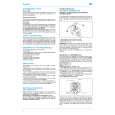
CD Direct Recording
Everything on the CD goes onto the tape in the order it is on the CD, or according to the order you have made for Program Play.
One Track Recording
This recording method is convenient when you record tracks while playing the CD. You can only record your favorite songs on the tape.
On the unit ONLY:
On the unit ONLY:
1 Put a recordable cassette in with the exposed
part of the tape down.
1 Put a recordable cassette in with the exposed
part of the tape down.
2 Load a CD.
� If the current playing source is not the CD player, press CD 3/8, then 7 before going to the next step. � If you do not want pauses of about 4 seconds recorded between selections, press CD 3/8 twice. Otherwise, non-recorded pause will be automatically recorded between selections. � If you want to record on both sides of a tape, see �To record on both sides�Reverse Mode.�
2 Play the track on the CD you wish to record. 3 Press REC (recording).
REC
The CD player returns to the beginning of that track and the track is recorded on the tape. After recording, the CD player and cassette deck automatically stop.
4 Repeat steps 2 and 3 to record other tracks
you want.
To stop while recording, press 7. The tape stops after 4 seconds. To remove the cassette, press 0 PUSH OPEN on the unit.
3 Press REC (recording).
The REC (recording) indicator lights up on the display and recording starts. After recording, the CD player and cassette deck automatically stop. To stop while recording, press 7. The tape stops after 4 seconds.
REC
To remove the cassette, press 0 PUSH OPEN on the unit.
To record on both sides�Reverse Mode
Press REV.MODE (reverse mode) until the REV.MODE indicator is lit. � When using the Reverse Mode for CD Direct Recording, start recording in the forward (3) direction first. When the tape reaches its end REV. MODE while recording a song in the forward direction (3), the last song will be rerecorded at the beginning of the reverse side (2). If you start recording on the reverse side (2), recording will stop when recording is done only on one side (reverse) of the tape.
When making Sleep Timer settings while doing CD Direct recording Set enough time to allow for the CD to finish playing; otherwise the power will go off before recording is completed.
� 18 �
 $4.99 FSL30 JVC
Service Manual Complete service manual in digital format (PDF File). Service manuals usually contains circuit diagr…
|
|
|
> |
|