|
|
|
Categories
|
|
Information
|
|
Featured Product
|
|
|
 |
|
|
There are currently no product reviews.
 ;
This service is relatively cheap, document is fast available, schematic is readable.
Thanks.
 ;
So far I´m a satisfied customer. I have only downloaded "TECHNICS SX-KN470 Service Manual" maybe I will use it later.
Best regards
Peter
;
Good manual. It is complete and of high quality, both text and graphics. The schematics are with the original big size, so it can be viewed or printed without any loss of resulution and sharpness.
;
We needed a manual quickly...online it was available immediately, at a very low price. We loved the convenience!
;
Excellent!!
Got what I need and very fast!!
Thank You
FS-M5
Removing the power board (See Figs. 16 and 17.)
Remove the left and right side panels. 1. Disconnect the wires from the connector CN901 on the power board. 2. Remove the tie bands bundling the wires. 3. Remove the screw M retaining the lug wire. 4. Remove the two screws N retaining the chassis . 5. Remove the power board by pinching the stud retaining the power board using radio pliers, etc.
Chassis Lug wire Tie bands Main board
Power transformer
Stud
CN901
N
Fig.16
M
Power board
Radio pliers, etc.
Power board Stud
Removing the main board (See Figs. 18 and 19.)
Fig.17 Remove the left and right side panels. Remove the top cover. Remove the front panel assembly. Remove the CD mechanism assembly. 1. From the inside of the rear panel, remove the five screws P retaining the bracket. 2. Remove the two screws Q retaining the speaker terminal of the main board. 3. Remove the solder from the soldered part e that attaches the FM antenna wire to the antenna board. 4. Remove the three screws R retaining the rear panel, then remove the rear panel. 5. From the top side of the main body, remove the screw S retaining the bracket of the main board. 6. Remove the screw T retaining the regulator IC(IC302). 7. Remove the tie bands bundling the wires. 8. Disconnect the wire from the connector CN901 on the power board. 9. Remove the stud on the main board, and then take out the main board from the chassis.
Soldered part e Heat sink
Chassis
P
P
R Q
Fig.18
R
Regulator IC Main board FM antenna wire (IC302) Antenna board T Stud
CN901
S
Power board Bracket Power transformer Tie bands
Chassis
Fig.19
1-10
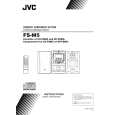 $4.99 FS-M5 JVC
Owner's Manual Complete owner's manual in digital format. The manual will be available for download as PDF file aft…
|
|
|
> |
|










