|
|
|
Categories
|
|
Information
|
|
Featured Product
|
|
|
 |
|
|
There are currently no product reviews.
 ;
It is perfect, exactly what we needed. It's like the paper version but less clutter.
 ;
Received my manual within 24 hours. Very clear scan of the manual I needed. Thanks!
;
Very clear scan, I recommend it. Definitely a must have for any 3362 owner.
Alpine could have written a slightly more complete manual, though. It's already pretty huge, but the unit has so many functions, I feel some more explanation would have been better.
Yamaha's manual of their comparable YDSP-1 is a little better in my opinion.
;
Immediate response with excellent service - highly reccommended
;
Correct manual received and of good quality but the contents of the file for the Service Manual for the same monitor is for a 20" TV not the RGB Monitor.
Before starting your dishwasher
1. Spin the Upper Spray Arm to make sure nothing will stop it from turning freely. 2. Push door firmly when closing and it will automatically latch. 3. Run hot water at sink nearest dishwasher until it is hot. Turn it off.
Starting your dishwasher
DUAL WASH Cycle...
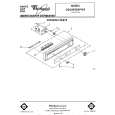
1. Select a drying option. 2. Turn Cycle Control Knob clockwise to dot marked DUAL WASH. The dishwasher will automatically start that cycle.
PRE-WASH PLUS NORMAL WASH Cycle...
1. Select a drying option. 2. Turn Cycle Control Knob clockwise to dot marked PRE-WASH PLUS NORMAL. The dishwasher will automatically start that cycle.
LOW ENERGY NORMAL WASH Cycle...
1. Select a drying option. 2. Turn Cycle Control Knob clockwise to dot marked LOW ENERGY NORMAL. The dishwasher will automatically start that cycle.
RINSE & HOLD Cycle...
1. Select AIR DRY OPTION only. 2. Turn Cycle Control Knob clockwise to dot marked RINSE 81 HOLD. The dishwasher will automatically start that cycle.
Changing a setting
You can change a setting any-time during any cycle. 1. Press in the doer latch to unl&ch the door and stop the cycle. 8
2. Turn the Cycle Control Knob clockwise to the cycle you want. 3. Be sure the detergent dispensers are filled properly for the new cycle. 4. Close and latch the door. The dishwasher automatically start the new cycle. will
|
|
|
> |
|