|
|
|
Categories
|
|
Information
|
|
Featured Product
|
|
|
 |
|
|
There are currently no product reviews.
 ;
Last week I bought a second hand BAUKNECHT TRK4850 DRYER. It is a professional machine with many programs and switch options. I feared it would be a huge quest to find a manual. I was delighted when I found owner-manuals.com. After payment I received the file to download the next day already. The quality is great. I am very happy. Thanks!
but kindly the distributions of the operating programs not find in the owners manual,can you help me to understand the operating programs instructions thank you
;
Very good copy, very readable and easy transaction as always.
;
It is perfect, exactly what we needed. It's like the paper version but less clutter.
 ;
Received my manual within 24 hours. Very clear scan of the manual I needed. Thanks!
;
Very clear scan, I recommend it. Definitely a must have for any 3362 owner.
Alpine could have written a slightly more complete manual, though. It's already pretty huge, but the unit has so many functions, I feel some more explanation would have been better.
Yamaha's manual of their comparable YDSP-1 is a little better in my opinion.
Cycle tips
s s
WRINKLE SHIELD� Feature
The WRINKLE SHIELD� feature light glows when this option is selected. This indicator stays on with the Cycle Complete light.
Dry most loads using the preset cycle settings. Refer to the Automatic or Manual Preset Cycle Settings chart (in the �Cycles� section) for a guide to drying various loads.
s
Control Locked
The Control Locked light glows when this option is enabled.
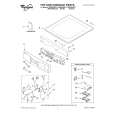
Drying temperature and Dryness Level are preset when you choose an Automatic Cycle. You can choose a different dryness level, depending on your load by pressing the DRYNESS LEVEL button to select MORE or LESS. If you wish to adjust the cycle length of a Manual Cycle, you must press MORE TIME or LESS TIME. Adjust the temperature of a Manual Cycle by pressing TEMPERATURE until the desired temperature is selected.
Indicator lights
Other indicator lights on the control panel show Cycle, Temperature, and End of Cycle settings selected. The time display will indicate the estimated or actual time remaining in a cycle.
s
NOTE: You cannot choose a Dryness Level with Manual Cycles.
Cycles
Select the drying cycle that matches the type of load you are drying. See Automatic Preset or Manual Preset Cycle Settings chart.
Status Lights
You may follow the progress of your dryer with the drying Status indicator lights.
Cycle control knob
Automatic Cycles
Sensing
When a cycle is first turned on, the Sensing light glows until a wet item is detected. s In an Automatic Cycle, if a wet item has not been detected within 10 minutes, the Sensing light will turn off and the dryer will shut down.
s
Automatic Cycles allow you to match the cycle to the load you are drying. See the following Automatic Preset Cycle Settings chart. Each cycle dries certain fabrics at the recommended temperature. A sensor detects the moisture in the load and automatically adjusts the drying time for optimal drying.
Heavy Duty
Use this cycle to get High heat for heavy fabrics such as cotton towels or bedspreads.
In a Manual Cycle, if a wet item is not detected after 10 minutes the Wet light turns on and the selected cycle continues.
Normal
Use this cycle to get Medium heat for drying sturdy fabrics such as work clothes.
Wet
The Wet light will turn on when a wet item has been detected in the dryer. The Wet light will remain on until:
s s
Bulky Items
Use this cycle to get Medium heat for drying large items that require very long drying times such as jackets, comforters and pillows. Rearrange the load halfway through the dryer cycle. This will aid in the drying process.
The damp dry point is reached in an Automatic Cycle. The dryer enters the cool down period in a Manual Cycle.
Damp
The Damp light indicates that the load has reached the damp dry level. NOTE: The Damp light is not used with manual cycles.
Casual
Use this cycle to get Low heat for drying no-iron fabrics such as sport shirts, casual business clothes and permanent press blends.
Cool Down
The Cool Down light glows during the cool down part of the cycle. Laundry is cooling down for ease in handling.
Delicate
Use this cycle to get Extra Low heat to gently dry items such as lingerie or washable knit fabrics.
Cycle Complete
This light glows when a drying cycle is finished. If the WRINKLE SHIELD� feature has been selected, the WRINKLE SHIELD� feature indicator light will also be on. The Cycle Complete light turns off one hour after the end of a drying cycle (including the WRINKLE SHIELD� cycle of 2 hours), when Pause/Cancel is pressed, or when the door is opened.
19
|
|
|
> |
|