|
|
|
Categories
|
|
Information
|
|
Featured Product
|
|
|
 |
|
|
There are currently no product reviews.
 ;
Good site, works ok and you get what you order, no problems experienced, got my manual within a day. A++++
 ;
Original well scanned manual. Got the job done. Microwave problem found & corrected. For $5 and a new magnitron from ebay, it was a cheap and good the first shot fix. Electrical schematics allowed me to mage sure every thing else was ok before cutting and order for parts. Hard to live without.
;
I was very skeptical of this website, I have never downloaded manuals before. I put it on the AMEX and payed through Paypal to ensure protection. I got the manual exactly as described and now I can replace the filter capacitor for this amp. Great Price, others selling for 12.99 or more and this is the same manual. I will search out this website for other manuals. Thank you
;
Manual was reasonably easy to follow. I am not an engineer or know much about electronics but with the manuals help I was able to figure out the problem, identify the part required for the repair. Replacement part cost around $30. Whilst replacing the part I was telling myself, "this aint gonna work cos it seems far too easy". Took about 15 minutes to do and my plasma TV works a treat. Would never have been able to do this without the service manual.
;
It is OK, this manual help me to repair my dynacord
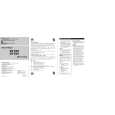
Setting the Unit
8.1 OPERATIONS
Gain Control Power Indicator
If sound level is too low, even The power indicator lights when the volume of the car stereo used along power is switched on. with this power amplifier is turned up, turn gain control on front of the power amplifier clockwise. If the sound distorts when the volume is turned up, turn the gain control counter-clockwise. GM-X962/XR/ES
� When using with an RCA equipped car
stereo (standard output of 500 mV), set to the NORMAL position. When using with BFC (Beat Frequency Control) Switch an RCA equipped Pioneer car stereo with
8. OPERATIONS AND SPECIFICATIONS
match the car stereo output level. AM broadcast with your car stereo,
If you hear a beat while listening to an max. output of 4 V or more, adjust level to change the BFC switch using a small standard tip screwdriver.
LPF (Low-Pass Filter) Select Switch
Set LPF select switch as follows according type of speaker that is connected to the speaker output connector and the car stereo system: LPF Select Audio frequency range Speaker Remarks Switch to be output Type
LPF (left) Very Low Frequency range Subwoofer Connect a subwoofer. OFF (right) Full range
GM-X962,X862
19
|
|
|
> |
|