|
|
|
Categories
|
|
Information
|
|
Featured Product
|
|
|
 |
|
|
There are currently no product reviews.
 ;
The manual was complete and of great quality. Originally a tri-lingual file, I first received only one language. After a note to owners-manuals.com, I quickly received the remaining languages... Great service, definitely worth it.
;
Thank you for providing this manual and at low cost.
The Philips scope is of excellent quality, longevity and build and had a couple of faults
when it was passed to me. Having the CCT diagrams is a blessing.
I have fixed the problems and also modded the scope to my requirements.
I have built a 24v Li-Ion pack for portable use from old but good laptop batts.
it is working beautifully and I am well pleased. Keep up the good work Guys.
 ;
manual was very helpful in learning how to propery use my washer. I could not find this manual anywhere else.
;
Awesome quality manual. You really saved my bacon with this one. Was looking for some specific information with regards to my "new" vintage VCR that didn't come with the owners manual. This site is truely a goldmine of available manuals. The quality of the scans are top notch.
Thank-you so much for this awesome manual. If you're looking for this Sony SL-HF400 owners manual, this is the one you NEED to buy. Definitely worth the money.
;
The manual was made available promptly. I is a clean scan of the original. I had no problem downloading it. The scan was well centered and cleanly formatted. It is as good a product as can be had without being the original document.
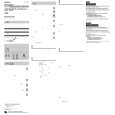
TAPE DUBBING
Tape Dubbing
PLAY/PAUSE
EN
37
CONNECT EQUIPMENT
1 2 3 4
Following the illustration to the left, connect the camcorder and the VCR.
PREPARE FOR DUBBING
Set the camcorder�s Power Switch to �PLAY�, turn on the VCR�s power, and insert the appropriate cassettes in the camcorder and the VCR.
SELECT VCR MODE
Engage the VCR�s AUX and Record-Pause modes.
FIND EDIT-IN POINT
Power Switch
Engage the camcorder�s Play mode to find a spot just before the edit-in point. Once it�s reached, press PAUSE on the camcorder.
START EDITING
When connecting the cables, open the jack cover. To AUDIO and VIDEO OUT connectors
5 6
Press PLAY on the camcorder and engage the VCR�s Record mode.
STOP EDITING TEMPORARILY EDIT MORE SEGMENTS
Engage the VCR�s Record-Pause mode and press PAUSE on the camcorder. Repeat steps 4 through 6 for additional editing, then stop the VCR and camcorder when finished.
Audio and Video cables (provided)
7
To AUDIO and VIDEO IN connectors
VCR (Recording deck)
|
|
|
> |
|