|
|
|
Categories
|
|
Information
|
|
Featured Product
|
|
|
 |
|
|
There are currently no product reviews.
 ;
Very good copy in a 54 pages PDF archive. This is my sixth purchase here. :)
;
Another excellent buy! File too clear and explanatory.
 ;
A manual hard to find. It was very helpful to restore my device.
;
I am very grateful for this manual. Without it could not repair my receiver.
;
excellent work as always you do cheap, fast net and clean. you do an incredible service......thanks!
DSC CIRCUIT
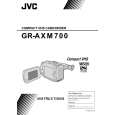
SECTION 2 GR-AXM700U/AXM500EK/AXM870S
"DSC" is an abbreviation for "Digital Still Camera". The DSC function enables the camera to save still pictures in the built-in memory when the camera is set in the "SNAP SHOT" mode. The "SNAP SHOT" mode is classified into two modes of the VIDEO mode and DSC mode, which are switchable to each other by a slide switch depending on the situation. In the VIDEO mode still pictures are recorded both on video tape and in the built-in memory, on the other hand, in the DSC mode still pictures are recorded in the built-in memory only. Still pictures can be recorded in either of two selective types: one is the PINUP type to record a still picture with white edges, and the other is the FULL type to record a picture without edge. There are two classes of resolutions provided for deciding picture quality on taking a still picture in the commemorative photography mode. In the FINE mode 22 still pictures can be saved in the built-in memory, while in the STANDARD mode 44 still pictures can be saved in it. Regarding playback of still pictures in the VIDEO mode and DSC mode, the VIDEO mode plays back still pictures in the general video playback manner, while the DSC mode plays back still pictures recorded in the built-in memory. Since still pictures saved in the built-in memory are automatically numbered in sequence, it is easy not only to protect or erase respective pictures but to play them back by index number or in the slide manner. Furthermore, still pictures saved in the built-in memory can be inserted into recording on other video tape and transferred to a personal computer. On the other hand, picture data saved in the memory of a personal computer can be saved in the built-in memory of the DSC circuit as desired. For communication with a personal computer to transmit and receive picture data between the two, it is needed to use an optional software "Picture Navigator".
2.1
LIST OF CAMCORDER WITH A BUILT-IN DSC
Model Name GR-AXM700 GR-AXM700U GR-AXM900U GR-AXM99UM GR-AX999UM GR-AX880EG GR-AX880EK GR-AX958EG-SH GR-AXM500EK GR-AX850S GR-AXM870S Brand Victor JVC JVC JVC JVC JVC JVC JVC JVC JVC JVC Color Y/C & Process System System NTSC NTSC NTSC NTSC NTSC PAL PAL PAL PAL SECAM SECAM Digital Digital Digital Digital Digital Digital Digital Digital Digital Digital Digital VF Type B/W B/W B/W B/W Color B/W B/W B/W B/W B/W B/W LCD Monitor 3 inch 3 inch 4 inch 3 inch Not used Not used Not used Not used 3 inch Not used 3 inch
Table 2-1-1 List of camcorder with a built-in DSC
2-1
|
|
|
> |
|