|
|
|
Categories
|
|
Information
|
|
Featured Product
|
|
|
 |
|
|
There are currently no product reviews.
 ;
Very useful manuals, somewhere graphics not very clear!
 ;
A great manual; it contained all the information I required and allowed me to restore the receiver to full working condition!
;
Very good expirience with owner-manuals.com.
5 Stars; In future if necessary, i´ll download manuals on this site.
;
Hi - happy with what I received but not quite what I wanted - my fault I assumed that service manual would also include operational instructions which is what I needed - all I needed to know was how to turn the radio - thanks
;
this Manual very important when i buy this Manual i already fix the trouble of my Camera..... thanks keep up the good work.!
3.4 MECHANISM COMPATIBILITY ADJUSTMENT 3.4.1 Tape pattern check (1) Connect the JIG CONNECTOR CABLE to the set. As for the connection procedure, JIG CONNECTOR BOARD and see 3.5 ELECTRICAL ADJUSTMENT. (2) Remove the COVER(ADJUST) (3) Play back the compatibility adjustment tape. (4) While triggering the HID1, observe the waveform of ENV_OUT. (5) Confirm that the waveform is free from remarkable leveldown, and entirely parallel and straight. (6) In case any level-down is observed on the left hand side, straighten the level by turning the GUIDE ROLLER (SUP) of the POLE BASE ASSEMBLY. In case any level-down is observed on the right hand side, however, straighten the level by turning the GUIDE ROLLER(TU) of the POLE BASE ASSEMBLY. (7) After adjustment, try the unloading motion once, and confirm that the waveform is flat (straight) when the tape has been played back again. Moreover, perform readjustment as required. (8) When the recording has been played back again, play back the self-recording to confirm that the waveform is flat.
ENV_OUT
HID1
Fig.3-4-1
Flatten the waveform. Misalignment of guide roller height on the supply side Misalignment of guide roller height on the take-up side
Fig.3-4-2
GUIDE ROLLER (SUP)
GUIDE ROLLER (TU)
COVER (ADJUST) JIG CONNECTOR CABLE
Refer To 3.3
JIG CONNECTOR
TO JLIP_RX RED TO JLIP_TX WHITE TO GND BLACK
COMMUNICATION CABLE
JIG CONNECTOR
OSCILLOSCOPE
TO ENV_OUT TO HID1
Fig.3-4-3
(No.86730)1-21
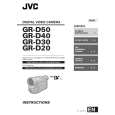 $4.99 GR-D40EX JVC
Owner's Manual Complete owner's manual in digital format. The manual will be available for download as PDF file aft…
|
|
|
> |
|