|
|
|
Categories
|
|
Information
|
|
Featured Product
|
|
|
 |
|
|
There are currently no product reviews.
 ;
Great to be able to set channels again, on an old but stoll fine working TV
 ;
Good quality instructions manual. Very useful to me. Quick and excellent service from Owner-Manuals... Thanks !!!
;
Sono molto soddisfatto e, quando mi necessiterà, mi avvarrò nuovamente di questo servizio!
;
A comprehensive Operating and Service Manual. All schematics are complete and easy to read. The PCB drawings and complete parts list are very helpful. I would definitely recommend this manual.
;
SCANNING OF HIGH QUALITY
VERY, VERY HIGH VELOCITY DOWNLOAD
VERY GOOD PRICE,
TRUE SATISFIED, THANKS
1 Displays the selected Fade/Wipe effect .... pg. 24 2 Appears when in the Squeeze or Cinema mode
.................................................................. 3 Rotates while the tape is running .............. pg. 29 pg. 12 pg. 10 pg. 12
r Appears during zooming
Zoom level indicator ............................ t Displays the brightness of the LCD monitor .................................................................. pg. 13 pg. 12
4 Displays the recording mode (SP or LP) ... 5 Displays the tape remaining time .............. 6 � �REC� appears during recording
y Appears when taking a Snapshot ....... pg. 17, 25 u Displays the battery remaining power level.
.................................................................. pg. 52
� �PAUSE� appears during Record-Standby mode
................................................................ pg. 12 7 Appears when the wind cut mode is engaged to cut down on noise created by wind ................. Pause (6w) mode is engaged .................. turning on the camcorder .......................... pg. 29 pg. 36 pg. 28
i Displays the date/time ................... pg. 10, 30, 32 o Appears when the focus is adjusted manually
............................................................ pg. 25, 26
8 Appears when the Insert Editing (w) or Insert Editing 9 Displays the sound mode for approx. 5 seconds after 0 Displays the Time Code ...................... pg. 14, 31 ! Appears when Digital Image Stabiliser (�DIS�) is
engaged .................................................... pg. 29 pg. 11 pg. 17 pg. 17
p Displays the sound mode .................... pg. 31, 32 Q Displays the Blank Search mode .............. pg. 15 W Displays the tape speed ............................ pg. 10 E Appears while a tape is running
4 3 2 6 : Playback : Fast-Forward/Shuttle Search : Rewind/Shuttle Search : Pause
@ Displays the image size ............................ # Appears and blinks during shooting .......... $� : Appears during shooting ................
�
64 : Forward Frame-By-Frame Playback/SlowMotion 16 : Reverse Frame-By-Frame Playback/SlowMotion e : Audio Dubbing 6e : Audio Dubbing Pause
: Blinks when a memory card is not loaded ....................................................... pg. 17
% Displays the picture quality
There are 2 modes available: F (Fine) and S (Standard) (in order of quality) ...............
pg. 11
R Displays the date/time ......................... pg. 30, 32 T � BRIGHT : Displays the brightness of the LCD
monitor ................................ � VOLUME : Displays the speaker volume ............................................ The level indicator moves. pg. 12 pg. 14
^ Displays the remaining number of shots that can be
stored. The number increases or decreases depending on the Picture Quality/Image Size, etc. .......... pg. 17
& Appears when the Power Switch is set to �
..................................................................
� pg. 13
*�
�
: Appears when Night-Scope is engaged ..................................................... pg. 23 : Appears when �GAIN UP� is set to �AUTO� and the shutter speed is being automatically adjusted .................. pg. 29 pg. 27
Y Displays the time code ........................ pg. 31, 32 U Displays the operation mode ..................... pg. 19 I Displays the folder and file number ...........
pg. 19 pg. 12
O Displays the brightness of the LCD monitor
.................................................................. The level indicator moves.
( Appears when the white balance is adjusted
..................................................................
) � � � : Appears when the exposure is adjusted
� ..................................................... pg. 26 : Appears when backlight compensation is used .............................................. pg. 26 pg. 23
q Displays the selected Programme AE with special
effects ........................................................
w Appears when the iris is locked ................. pg. 27 e Approximate zoom ratio: Appears during zooming
.................................................................. pg. 13
EN
INDEX
51
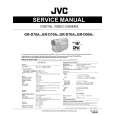 $4.99 GRD70AS JVC
Service Manual Complete service manual in digital format (PDF File). Service manuals usually contains circuit diagr…
|
|
|
> |
|