|
|
|
Categories
|
|
Information
|
|
Featured Product
|
|
|
 |
|
|
There are currently no product reviews.
 ;
Great price, Quick delivery, the document was very usefull A+++++++++++++++
;
Thank´s for your help, I already recived these manual from you
;
Thank you for your manual It has the basic things to and i use the Oszi for Longer Time.
THX
;
Actually, I was looking for this information for 3 years!...now thanks to you, the manual is on my hands and of great help, cause I understand now where I was doing wrong connections and wires...excellent, I'll be back to you if in need, thank you.
 ;
This manual covers the main equipment features only. While it also includes the procedure for saving and loading from the now long obsolete memory cards it does not mention the how to operate with the optional floppy drive interface so I am still at a loss about how to use this! Note that there is a separate manual covering the MIDI interface and programming via the keyboard, not included in this download. You will also need to get hold of this if you want to use the MIDI interface properly. Basically there is little difference between this manual and the free to download manual for the similar PR60 model.
TROUBLESHOOTING EN
41
Advanced features
The focus does not adjust automatically.
� Focus is set to the Manual mode. HSet Focus to the Auto mode. ( pg. 31) � The lens is dirty or covered with condensation. HClean the lens and check the focus again. ( pg. 48) � The recording was done in a dark place, or the contrast was low.
Other problems
The POWER/CHARGE lamp on the camcorder does not light.
� The temperature of the battery is extremely high/low. � Charging is difficult in places subject to extremely high/low temperatures. HTo protect the battery, it is recommended to charge it in places with a temperature of 10°C to 35°C (50°F to 95°F). ( pg. 45)
Snapshot mode cannot be used.
� The Squeeze mode (SQUEEZE) is selected. HDisengage the Squeeze (SQUEEZE) mode. (
�SET DATE/TIME!� appears.
pg. 25, 26) � The date/time is not set. HSet the date/time. ( pg. 8) � The built-in clock battery has run out and the previously set date/time has been erased. HConsult your nearest JVC dealer for replacement.
The color of Snapshot looks strange.
� The light source or the subject does not include white. Or there are various different light sources behind the subject. HFind a white subject and compose your shot so that it also appears in the frame. ( pg. 18, 31) � The Sepia (SEPIA) or Monotone (MONOTONE) mode is activated. HDisengage the Sepia (SEPIA) and Monotone (MONOTONE). ( pg. 25, 31)
There is no picture.
� The camcorder is not getting power, or some other malfunction exists. HTurn the camcorder�s power off and on again. ( pg. 8)
The image taken using Snapshot is too dark.
� Shooting was performed under backlit conditions. HPress BACKLIGHT. ( pg. 33)
Some functions are not available using the MENU/VOL. Wheel.
� The Power Switch is set to �A�. HSet the Power Switch to �M�. ( pg. 8)
The image taken using Snapshot is too bright.
� The subject is too bright. HSet �r� to �SPOTLIGHT�. ( pg. 31)
Files stored in the memory card cannot be deleted.
� Files stored in the memory card are protected. HRemove protection from the files stored in the memory card and delete them. ( pg. 22)
White Balance cannot be activated.
� The Sepia (SEPIA) or Monotone (MONOTONE) mode is activated. HDisengage the Sepia (SEPIA) or Monotone (MONOTONE) mode before setting White Balance. ( pg. 31)
When the image is printed from the printer, a black bar appears at the bottom of the screen.
� This is not a malfunction. HBy recording with �DIS� activated ( be avoided. pg. 25, 26) this can
Wipe/Fader effects do not work.
� The Power Switch is set to �A�. HSet the Power Switch to �M�. ( pg. 8)
When the camcorder is connected via the DV connector, the camcorder does not operate.
� The DV cable was plugged/unplugged with power turned on. HTurn the camcorder�s power off and on again, then operate it.
The Black & White Fader does not work.
� The Sepia (SEPIA) or Monotone (MONOTONE) mode is activated. HDisengage the Sepia (SEPIA) and Monotone (MONOTONE). ( pg. 25, 31)
The rear of the LCD monitor is hot.
� The light used to illuminate the LCD monitor causes it to become hot. HClose the LCD monitor to turn it off or set the Power Switch to �OFF�, and let the unit cool down.
Program AE with special effects does not work.
� The Power Switch is set to �A�. HSet the Power Switch to �M�. ( pg. 8)
The image looks like the shutter speed is too slow.
� When shooting in the dark, the unit becomes highly sensitive to light when �GAIN UP� is set to �AUTO�. HIf you want the lighting to look more natural, set �GAIN UP� to �AGC� or �OFF�. ( pg. 25, 26)
REFERENCES
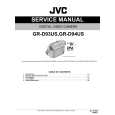 $4.99 GRD93US JVC
Service Manual Complete service manual in digital format (PDF File). Service manuals usually contains circuit diagr…
|
|
|
> |
|