|
|
|
Categories
|
|
Information
|
|
Featured Product
|
|
|
 |
|
|
There are currently no product reviews.
 ;
OK?..manual is complet and helpfull... for repairing such a old and rare boombox like JVC PCM it is necessary...
;
Super Anleitung. Ordentliche Auflösung. Das ganze noch in Deutsch wäre zu schön. Alle Datenblätter sind sauber Kopiert und alle Leitungswege sind sauber ausgeführt
;
Thanks God for the internet and thanks for the service like this - proffessional solution on time.
;
About the service it's very fast and reliable. About the manual the quality is high enough to read even the tiniest details on the wiring diagrams so you can't ask much more than that, let it alone for a manual of a product from 20 years ago. Thank you, very satisfied.
;
The downloaded quality was as good as the orignial
2.2.7 Checkup and adjustment of mechanism phase
<Rotary encoder> Set the �s� of the rotary part at the tapped hole as shown in the figure.
<Connect gear> (Note 2) Set the connect gear so that its locating hole meets the hole on the main deck assembly.
<Worm wheel> (Note 2) Set the worm wheel so that its locating hole meets the hole on the main deck assembly.
Note 1 <Main cam gear /Brake control plate> After fitting the main cam\ gear and brake control plat together,set them together so that their locating holes meet the hole on the main \ deck assembly.
<Connect gear 2> (Note 2) Set the connect gear 2 so that its locating hole meets the hole on the main deck assembly.
<Sub cam gear> Set the sub cam gear so that its locating hole meets the hole on the main deck assembly. This state represents that the mechanism is in the EJECT mode, which is the �mechanism assembly mode�.
Note 1: Since the connect gear 2 is tightly fixed to the main deck by caulking, adjust its phase with the connect gear and sub cam gear.
Note 2: The part that needs phase adjustment by the hole on the main deck assembly must exactly be set as the specified phase. There is a fear that some part is installed in a wrong phase because assembling of the mechanism is automated. If so, set every part in the correct phase whenever the mechanism is reassembled.
Fig. 2-2-24
2-14
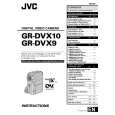 $4.99 GRDVX9EG JVC
Owner's Manual Complete owner's manual in digital format. The manual will be available for download as PDF file aft…
|
|
|
> |
|