|
|
|
Categories
|
|
Information
|
|
Featured Product
|
|
|
 |
|
|
There are currently no product reviews.
 ;
Thank´s for your help, I already recived these manual from you
;
Thank you for your manual It has the basic things to and i use the Oszi for Longer Time.
THX
;
Actually, I was looking for this information for 3 years!...now thanks to you, the manual is on my hands and of great help, cause I understand now where I was doing wrong connections and wires...excellent, I'll be back to you if in need, thank you.
 ;
This manual covers the main equipment features only. While it also includes the procedure for saving and loading from the now long obsolete memory cards it does not mention the how to operate with the optional floppy drive interface so I am still at a loss about how to use this! Note that there is a separate manual covering the MIDI interface and programming via the keyboard, not included in this download. You will also need to get hold of this if you want to use the MIDI interface properly. Basically there is little difference between this manual and the free to download manual for the similar PR60 model.
;
Good list of manuals. I found a very rare one and easily get. Should be promptly to download, as we must to wait hours even after confirmed payment.
1 Appears when �NAVIGATION� is set to
other than �MANUAL� ................................ pg. 21 pg. 28 pg. 33 pg. 12
e Appears when the white balance is
adjusted ..................................................... pg. 31 pg. 30
2 Displays the selected Fade/Wipe effect .... 3 Appears when in the Squeeze, Cinema or
D.WIDE mode ............................................
r � � � : Appears when the exposure is
adjusted ........................................ � : Appears when backlight compensation is used .......................................... pg. 30 pg. 27 pg. 31 pg. 13 pg. 13 pg. 12
4 Rotates while the tape is running .............. 5 Appears while the captured image is being
stored as a thumbnail image in the memory card ...........................................................
t Displays the selected Programme AE with
special effects ............................................
pg. 21 pg. 10 pg. 12
6 Displays the recording mode (SP or LP) ... 7 Displays the tape remaining time .............. 8 � �REC� appears during recording
� �PAUSE� appears during Record-Standby mode ............................ down on noise created by wind ................. Editing Pause (6w) mode is engaged ....
y Appears when the iris is locked ................. u Approximate zoom ratio: Appears during
zooming .....................................................
i Appears during zooming
Zoom level indicator ............................
pg. 12 pg. 33 pg. 40
o Displays the brightness of the
LCD monitor .............................................. The level indicator moves.
9 Appears when the wind cut mode is engaged to cut 0 � Appears when the Insert Editing (w) or Insert
p Appears during Self-Timer recording
(GR-DX300 only) ....................................... pg. 26 pg. 17, 29 pg. 56
� 5S/Anim.: Displays the 5 second recording mode or Animation recording mode (GR-DX300 only) ............................... pg. 26, 33
Q Appears when taking a Snapshot ....... W Displays the battery remaining
power level ................................................
! Displays the sound mode for approx. 5 seconds
after turning on the camcorder .................. pg. 32
E Displays the date/time ................... R Appears when the focus is adjusted T Appears when the flash is ready.
manually ..............................................
pg. 10, 34, 36 pg. 29, 30
@ Displays the Time Code ...................... pg. 14, 35 # Appears when Digital Image Stabiliser (�DIS�) is
engaged .................................................... pg. 33 pg. 11 pg. 17 pg. 17 pg. 17
A number appears next to the indication after adjusting the brightness of the flash .......... pg. 25
$ Displays the image size ............................ % Appears and blinks during shooting .......... ^� : Appears during shooting ................
� : Blinks when a memory card is not loaded ...................................
& Displays the picture quality
There are 2 modes available: F (Fine) and S (Standard) (in order of quality) ............... pg. 11
Y Displays the sound mode .................... pg. 35, 36 U Displays the Blank Search mode .............. pg. 15 I Displays the tape speed ............................ pg. 10 O Appears while a tape is running
4 : Playback 3 2 6 64 16 e 6e : Fast-Forward/Shuttle Search : Rewind/Shuttle Search : Pause : Forward Frame-By-Frame Playback/SlowMotion : Reverse Frame-By-Frame Playback/SlowMotion : Audio Dubbing : Audio Dubbing Pause : Displays the brightness of the LCD monitor ................................ pg. 12 pg. 14 pg. 19 pg. 19
* � Displays the remaining number of shots that can
be stored. The number increases or decreases depending on the Picture Quality/Image Size, etc. ........ pg. 17 � Displays the remaining number of storable thumbnail images when it reaches 10 or less. .......................................... pg. 21, 22 � Displays the memory card remaining time for E-Mail Clip Recording ............................. pg. 22
( Displays the E-Mail Clip Recording time ... ) Appears when the Power Switch is
pg. 22
P � BRIGHT
set to � � ................................................. pg. 13 q� : Appears when Night-Scope is engaged ....................................... pg. 27 � : Appears when �GAIN UP� is set to �AUTO� and the shutter speed is being automatically adjusted ........................................ pg. 33
� VOLUME : Displays the speaker volume .................. The level indicator moves. a Displays the operation mode ..................... s Displays the folder and file number ...........
w Appears when �FLASH� is set to �AUTO
Menu Screen .............................................
� in the pg. 25
EN
INDEX
55
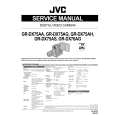 $4.99 GRDX75AG JVC
Service Manual Complete service manual in digital format (PDF File). Service manuals usually contains circuit diagr…
|
|
|
> |
|