|
|
|
Categories
|
|
Information
|
|
Featured Product
|
|
|
 |
|
|
There are currently no product reviews.
 ;
Good quality instructions manual. Very useful to me. Quick and excellent service from Owner-Manuals... Thanks !!!
;
Sono molto soddisfatto e, quando mi necessiterà, mi avvarrò nuovamente di questo servizio!
;
A comprehensive Operating and Service Manual. All schematics are complete and easy to read. The PCB drawings and complete parts list are very helpful. I would definitely recommend this manual.
;
SCANNING OF HIGH QUALITY
VERY, VERY HIGH VELOCITY DOWNLOAD
VERY GOOD PRICE,
TRUE SATISFIED, THANKS
;
Genuine Toshiba owner's manual. Couldn't really ask for more. And written in understandable English in contrast to a few recent experiences I have had with manuals for other equipment other than Toshiba but made in China and written in "Chinglish"!
GTQ 190 - English
06/03/98 11:49
Side 3
System Design Using the GTQ190 Quick Start
Recommended for Experienced Professional Installers Only! 1. Disconnect the negative cable from the battery. Note: If the vehicle�s radio features a code-type security system, make certain you know the code before disconnecting the battery! 2. Run a power cable complete with a fuse (not included) directly from the positive +12V battery terminal to the desired amplifier location. Keep the fuse within 6" of the battery terminal, and position it before the wire runs through any metal partition. A minimum of #10AWG is required for the GTQ190, as is a 30A fuse. Note: All wiring connections should be made either by soldering with heatshrink tubing insulation, by using commercially available high-quality distribution blocks, or with high-quality crimp-type insulated connectors installed with a professionaltype, articulated crimping tool. Soldering crimp-type terminals is recommended for additional security. Never use wire nuts, insulation-displacement connectors (i.e., ScotchLok type), or twist and tape connections. Do not use electrical tape; it will loosen with age and extreme temperatures. 3. Mount amplifier in the desired location using the included screws. 4. Connect power wiring as shown in the Wiring Diagram on page 7.
(+)
Speaker Requirements
5. Connect the outputs from the head unit to the appropriate inputs of the amplifier according to the Wiring Diagram (page 7) with either (or both) high-quality lowlevel signal cables with RCA plugs, or the supplied speaker-level input connector. 6. Connect the speakers to the amplifier according to the Wiring Diagram on page 7. 7. Turn the gain controls to the 1/4position for all groups. 8. Set the bass boost of each group to the desired position. 9. Set the crossover switches for each group as desired. 10. Set the Group 2 Input as desired. 11. Set the mode switches to Stereo, Left + Right, or Left Input Only operation for each group. 12. Double-check your switch settings. Reconnect the negative battery cable. Note: Incorrect switch settings can damage your speakers! 13. Turn on the signal source at a low volume level, and check for the correct output from each speaker. 14. Adjust the amplifier gain controls using the procedure described in the �Adjusting the Gain� section (page 11). 15. Read the rest of the manual to get maximum use and enjoyment from your amplifier.
When used in the non-bridged mode, a group-channel of the GTQ190 can easily drive two 2-ohm speaker loads. When only one speaker is connected to the left and right outputs of a group, virtually any conventional speaker may be used. When two speakers are connected in parallel to a single output (left or right) of a given group, each speaker must have a minimum impedance of 4 ohms. This ensures that the combined load will not drop below 2 ohms. Although the amplifier will not be damaged, load impedances lower than 2 ohms will eventually cause the amplifier to overheat, activating the protection circuits and causing the unit to shut off until it cools down sufficiently. When a group is in bridged mode, the combined impedance of the speaker (or speakers) connected to the bridged channels should be at least 4 ohms. As in the example above, sustained operation of the unit in bridged mode with less than 4 ohms will likely cause overheating. If monaural operation is desired, and two 4-ohm speakers are used, it is best to connect each speaker to an individual amplifier output (left and right) and use the L+R mode on the mode switch to provide monaural operation. The GTQ190 must not be used with speakers that have either one of their input terminals wired to the frame of the speaker or to the chassis of the vehicle.
(�)
(+)
(�)
03
Owner�s Manual
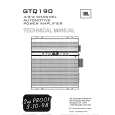 $4.99 GTQ190 JBL
Service Manual Complete service manual in digital format (PDF File). Service manuals usually contains circuit diagr…
|
|
|
> |
|