|
|
|
Categories
|
|
Information
|
|
Featured Product
|
|
|
 |
|
|
There are currently no product reviews.
 ;
Excellent product and service. I bought a second-hand Casio CPS-60 keyboard which had no manual. Packed full of features which I had no idea how to operate . . .
Google search found this site (and others with the same manual for sale for $8.99!)
I bought the manual and within an hour the download was available. Quality of the scanned images is good - very clear - and the PDF has been created with the pages in the correct order.
I would definitely use this site again.
;
I found this rare manual, in french ! The brand of my washing machine is not famous but this site had the manual, that is perfect.
;
The manual was everything that I wanted. Clearly printed and delivered in very quick time. Would certainly use again if I needed a manual in the future
;
I received the manual in correct time. It was a perfect help for me.
;
excellent quality, contains circuits and scan quality, 226 pages
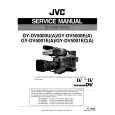
FireStore DR-DV5000 User Guide
Allows user to select different timecode options for use when DR-DV5000 is recording. User simply selects the mode. Highlighted mode is current mode after exit. Pressing EXIT will exit back to the menu screen. EXT TC Mode - Whatever the incoming DV timecode, DR-DV5000 records it. If the Camcorder TC is not running, and DRDV5000 is recording, the same TC number will be in each frame of DV. Choosing EXT TC mode will clear any stored number. NOTE: If DR-DV5000 is set to EXT TC when in SYNCRO SLAVE mode, EXT TC will stop once tape in GY-DV5000 ends. Use different TC mode when using SYNCRO SLAVE. REC RUN Mode - In this mode, DR-DV5000 does the following: (1) the last timecode number recorded + 1 will be used as the timecode number for the first frame of the next recording. User simply selects the camcorder they will be using with DR-DV5000. This will load a preference for that particular model. The highlighted item is the current camcorder after exit. Pressing EXIT will exit back to the menu screen. Selecting JVC DV5000 or 500/-700 will set Timecode preference to SMPTE Timecode. Selecting OTHER will set Timecode preference to DV Timecode. Timecode Mode (2) the number entered by a setting in the TC PRESET menu will be used for the first frame of the next recording. The last number used is stored in the memory, so this mode persists across recording sessions. REGEN Mode - After a disk is mounted (at startup, upon manual connect) and after the track list has been constructed, DR-DV5000 looks at the last track and looks at the timecode number of the last frame in that track. DR-DV5000 stores that number for use as the TC value (+ 1) for the first frame of the next recording. If the drive is empty, DR-DV5000 uses the value (+ 1) stored in memory.
If no .bin file is found, the screen will display "OS UPGRADE ERROR". It is necessary to restart your system once an OS upgrade is complete. Cam Type
PAGE 27
|
|
|
> |
|




 Home
Home