|
|
|
Categories
|
|
Information
|
|
Featured Product
|
|
|
 |
|
|
There are currently no product reviews.
 ;
Excellent manual, very clear, technical specification provided, useful information regarding adjustment and set up.
 ;
fast and easy and exactly what I was looking for. Not the cheapest but value for money after all.
;
The manual for the Sansui P-L75 was not one of the more informative turntable manuals around but for $5 it was helpful enough.
;
VERY GOOD SERVICE.FAST ANS VERY HONEST PRICE .RHAANK HERNAN
;
Thanks to this service manual I repaired my old camcorder! The manual perfectly explains how to disassemble the camcorder step by step.
The initial settings in The General MIDI system Channel 1 - 9 & 11 - 16 Program change: Pitch bend: Modulation: Volume: Pan: Expression: Sustain: Soft: Effect depth: Pitch bend sense: Coarse tune: Fine tune: RPN: Channel pressure: Channel 10 Drum set No.:
000 (Piano) LSB: 40H, MSB: 00H 0 (Off) 100 64 (Center) 127 (Maximum) 0 (Off) 0 (Off) 127 (Maximum) 02 (2 seminotes) LSB:40H, MSB:00H LSB:40H, MSB:00H Null 0 (Off)
0
Volume: Pan: Expression: Soft: Effect depth:
100 64 (Center) 127 (Maximum) 0 (Off) 127 (Maximum)
TRANSMITTING MIDI MESSAGES
Operation 1 MIDI messages of note on/off, velocity and modulation are transmitted no matter which MIDI channel is selected. Note on/off message is transmitted when the corresponding key is pressed/released. Use the Octave Shift Button, shift the octave range up or down so that GZ-500 is able to send note numbers 17 to 108 but the keyboard has 61 keys only. Velocity is also transmitted when a key is pressed. GZ-500 sends the velocity in accordance with the strength of the pressed key and the selected touch curve (sensitivity). Data of modulation is transmitted when the corresponding wheel is operated.
MIDI Message Note On/Off Velocity Setting Octave shift Velocity curve Setting operation 1. Press the octave shift button. 2. Using the +/- key, select an octave range -2 to 1 you want. 1. Press the control button and repeat it until the display shows "tCH". 2. Using the 10-key, enter a number from 0 to 7. 1. Press the control button and repeat it until the display shows "tCH". 2. Using the 10-key, enter a number 0. 3. Press the - key. The display will show "oFF". 1. Press the control button and repeat it until the display shows "tCH". 2. Using the 10-key, enter a 3-digit number from 001 to 127. 1. Press the control button and repeat it until the display shows "dEP". 2. Using the 10-key, enter a 3-digit number from 001 to 127.
Touch response OFF
Velocity at touch response OFF Modulation Modulation depth
�4�
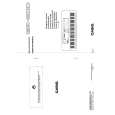 $4.99 GZ500 CASIO
Owner's Manual Complete owner's manual in digital format. The manual will be available for download as PDF file aft…
|
|
|
> |
|