Shopping cart is empty
 
English Polski Spanish 
Search For a Manual
 

(e.g. AA-V20EG JVC, ZX-7 Sony )
PayPal 1000+ rating Secure, Encrypted Checkout.
 
Categories
Information
Featured Product
Home >> PHILIPS >> HD4865/00 Owner's Manual
 
 0 item(s) in your cart 

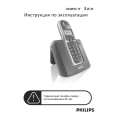
PHILIPS HD4865/00
Owner's Manual


Tweet about this product and get $1.00 of store credit for instant use!
  • Download
  • PDF Format
  • Complete manual
  • Language: English, German, French, Italian, Spanish, Dutch, Swedish, Portuguese, Finnish, Danish, Norwegian
Price: $4.99

Description of PHILIPS HD4865/00 Owner's Manual

Complete owner's manual in digital format. The manual will be available for download as PDF file after You purchase it.

Owner's Manual ( sometimes referred to as User's Guide or User's Manual ) contains information on how to use Your device. After placing order we'll send You download instructions on Your email address.

The manual is available in languages: English, German, French, Italian, Spanish, Dutch, Swedish, Portuguese, Finnish, Danish, Norwegian

Not yet ready
You must purchase it first

Customer Reviews
There are currently no product reviews.
Other Reviews
 DC942 PHILIPS Owner's Manual by Johan Vanmullem;
Zeer duidelijke afdrukken op A4-formaat , zeer uitgebreide handleiding . Pluspunt ,zeer snelle respons van jullie , binnen de 24h . Top !!!
 STGT1000 TECHNICS Owner's Manual by james burns;
I AM HIGHLY IMPRESSED BY THE EASE OF USE OF THIS DOWNLOAD SERVICE. INSTRUCTIONS ARE CLEAR AND SIMPLE TO FOLLOW....EVEN BY TECHNOPHOBES SUCH AS MYSELF. THE EMAILS POINT YOU IN THE RIGHT DIRECTION...ITS SO EASY PEASY. THE DOWNLOAD CHOICE OF USER MANUALS IS EXTENSIVE AND I COULD NOT FIND A CHEAPER OR MORE EFFICIENT SERVICE ON THE INTERNET. I COULD NOT HAVE MADE A BETTER CHOICE OF INFORMATION PROVIDER. SHOULD I EVER NEED ANOTHER USER MANUAL, THEN THIS IS THE FIRST CHOICE SITE. COULD NOT BE BETTER PLEASED!!!!!!!...MANY THANXES FROM JIM BURNS
 NV-DS30B PANASONIC Owner's Manual by John Richardson;
I was impressed with the quality of service (frequent e-mails to let you know the status of your order), and the speed at which the download became available. The manual was a life saver and was not easy to track down. Thank you for such an excellent service.
 A-P510 PIONEER Owner's Manual by edward lowes;
the manual was just what i wanted it had all the revelent information required to operate the hifi .Iwould use any manual i downloaded for any item which needs a manual
 TRK 5840 BAUKNECHT Owner's Manual by Lutz Döring;
Die gewünschte Bedienungsanleitung wurde vereinbarungsgemäß in deutsch bereitgestellt. Sie ist gut lesbar. Kein Kauderwelsch. Danke für den Service.

Text excerpt from page 5 (click to view)
Extra - for type HD 4865 only: Heating-up rolls, buns or croissants - Fix the warming rack to the top of the toaster (fig. 11). Ensure that it is fitted correctly. - Place the rolls, buns or croissants centrally on the rack (fig. 12). Prevent overheating: do not place more than 2 pieces at the same time. - Move the slide downwards to switch on. - Press only button ± (fig. 13). You need not set the browning selector nor press another button as well. � If you wish to heat-up buns or rolls on both sides, just turn them upside down after the toaster has switched off. Switch on again and press button ± . Toasting only one side (ideal for French baguettes) - Cut the baguette into pieces of max. 13 cm. - Cut these sections of baguette lengthwise (fig. 14). - Insert the halved pieces into the toaster with the sides to be toasted (i.e. the crustless sides) facing you (fig. 15). - Select the degree of browning as explained before. - Move the slide downwards to switch on. - Press button �(fig. 16). Now only the front side of the bread will be toasted. - To toast only one side of frozen slices, press buttons �and � (fig. 17). - To heat up one-sided toasted bread, insert the slice(s) with the toasted side(s) facing you. Set the browning selector to position � , move the slide downwards and press button � (fig. 18). Toasting frozen bread - Insert one or two slices of frozen bread. - Select the degree of browning as explained before. - Move the slide downwards to switch on. - Press button � to defrost and toast in one go (fig. 19). Placing the dust cover (after use) - Allow the toaster to cool down. - Place the dust cover on top of the toaster so that it covers button � (fig. 20). � Do not place the dust cover on top of the 5

toaster when the appliance is switched on or when it is still hot as this could lead to damage (fig. 21).

You might also want to buy

$4.99

SX-K700 TECHNICS
Owner's Manual

Complete owner's manual in digital format. The manual will be available for download as PDF file aft…

$4.99

CJ-V51 PIONEER
Service Manual

Complete service manual in digital format (PDF File). Service manuals usually contains circuit diagr…

$4.99

GRAND PRIX ELECTRONIC 754 BECKER
Service Manual

Complete service manual in digital format (PDF File). Service manuals usually contains circuit diagr…

$4.99

SX-PR602 TECHNICS
Service Manual

Complete service manual in digital format (PDF File). Service manuals usually contains circuit diagr…

$4.99

EV-S1000E SONY
Owner's Manual

Complete owner's manual in digital format. The manual will be available for download as PDF file aft…

$4.99

GRAND PRIX ELECTRONIC 780 BECKER
Service Manual

Complete service manual in digital format (PDF File). Service manuals usually contains circuit diagr…

$4.99

AG7330 PANASONIC
Service Manual

Complete service manual in digital format (PDF File). Service manuals usually contains circuit diagr…

$4.99

MECABLITZ 60 CT4 METZ
Service Manual

Complete service manual in digital format (PDF File). Service manuals usually contains circuit diagr…
>
Parse Time: 0.232 - Number of Queries: 124 - Query Time: 0.054