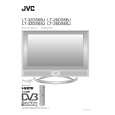
|
|
|
Categories
|
|
Information
|
|
Featured Product
|
|
|
 |
|
|
There are currently no product reviews.
 ;
This manual is immaculate in it's accuracy. Everything is written very clearly and easy to understand. Written by a professional who wants to convey a clear and easy to understand message!!
;
This Manual (as downloaded) is both informative and comprehensive and has proved to be extremely useful. thoroughly recommended.
;
everything is ok, thank you very much! Product is good, no problems with download!
;
Great site, I always find all the manuals I need and i can't find anywhere else. PDF for the Sony PCM 3348 is complete and scan is good quality. Thank you!
;
It was a complete manual as stated. Very good source for older product manuals. Thanks
Basic Operating Instructions
Turn on the LCD-TV
MUTE Q.VIEW INPUT INFO EXIT
When the POWER button is pressed and the LCD-TV is turned on, the indicator light on the front of the LCD-TV changes from red to green or turn light. When the LCD-TV is turned off using the power button, the LCD-TV will go into standby mode and the indicator light turns red(or turns dark).
SAP OK
P.MODE
CH+ VOL MENU VOL +
CHCC SLEEP S.MODE
GUIDE
ARC
CH.LIST
FAV.LIST
AUDIOLIST
Each time you press the INPUT button, TV, Composite, S-Video,VGA, Component and HDMI will appear on the screen in order. NOTE: The color of the indicator light may differ based upon the model purchased.
Audio Control 1.Press the VOL+ button to increase the volume. A number will appear on screen indicating the volume level. 2.Press the VOL- button to decrease the volume. A number will appear on screen indicating the volume level.
Mute 1.Press the MUTE button to mute the sound temporarily. A mute icon appears on the screen. 2.Press the MUTE button or VOL+ again to restore the sound. The mute icon disappears.
|
|
|
> |
|