|
There are currently no product reviews.
 ;
It`s full copy of a service manual from url http://www.philips.owner-manuals.com/PM3216-service-manual-PHILIPS.html
 ;
perfect! you just sent to me the copy in Italian witout even my specification!!!! so you are really smart cooperative and efficient. To my opinion the best place all over to get a manual of electronics!!!!
;
Well Well Well!!!! Good manual perfect for my hobby!!! As Before you have done a very well done work!!!! Thank you
;
Super nice! Good to have a manual in digital format.
;
Great job supplying the manual.
Many of these products weerepretty obscure, so it was great that you had
the manual for it!
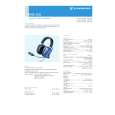
Using the headsets
Mono/Stereo selection (HME 100 only)
In general, you�ll receive a mono sound source so that the Mono/Stereo switch can remain set to �Mono�. When using a stereo intercom system, set the headset to stereo operation. Remove the ear cushion (u �Replacing the ear cushions�) from the earcup with the microphone boom attached and set the Mono/Stereo switch to �Stereo�.
Adjusting the volume
Exposure to loud sounds can cause hearing damage! Set the volume control to a medium value. Make sure that you can hear critical sounds such as warning alarms.
37
|