Shopping cart is empty
 
English Polski Spanish 
Search For a Manual
 

(e.g. AA-V20EG JVC, ZX-7 Sony )
PayPal 1000+ rating Secure, Encrypted Checkout.
 
Categories
Information
Featured Product
Home >> PHILIPS >> HP4653/00 Owner's Manual
 
 0 item(s) in your cart 

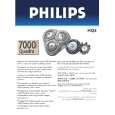
PHILIPS HP4653/00
Owner's Manual


Tweet about this product and get $1.00 of store credit for instant use!
  • Download
  • PDF Format
  • Complete manual
  • Language: English, German, French, Italian, Spanish, Dutch, Swedish, Portuguese, Finnish, Danish, Norwegian, Greek, Russian, Czech, Polish, Hungarian, Slovak, Romanian, Bulgarian, Turkish, Arabic, Chinese Simplified, Croatian, Slovenian, Latvian, Chinese Traditional, Estonian, Korean, Lithuanian, Thai, Serbian, Malay, Ukrainian, Vietnamese, Persian
Price: $4.99

Description of PHILIPS HP4653/00 Owner's Manual

Complete owner's manual in digital format. The manual will be available for download as PDF file after You purchase it.

Owner's Manual ( sometimes referred to as User's Guide or User's Manual ) contains information on how to use Your device. After placing order we'll send You download instructions on Your email address.

The manual is available in languages: English, German, French, Italian, Spanish, Dutch, Swedish, Portuguese, Finnish, Danish, Norwegian, Greek, Russian, Czech, Polish, Hungarian, Slovak, Romanian, Bulgarian, Turkish, Arabic, Chinese Simplified, Croatian, Slovenian, Latvian, Chinese Traditional, Estonian, Korean, Lithuanian, Thai, Serbian, Malay, Ukrainian, Vietnamese, Persian

Not yet ready
You must purchase it first

Customer Reviews
There are currently no product reviews.
Other Reviews
 RS-736US PANASONIC Owner's Manual by mike powers;
Product was very good. Received quickly and complete
 CPS201 CASIO Owner's Manual by Werner Widmeier;
Although printing quality is not the best, the manual was very helpful in order to reactivate this ancient but still good electronic musical instrument.
 E105 CASIO Owner's Manual by graham baker;
as a first-time user and buyer from this site, i found the overall service outstanding!! this product is a godsend as, without it, i would never have been able to find my way around and use my machine as intended. i will certainly use this site again as required. many many thanx!!
 PRO-710HD/KUXC/CA PIONEER Owner's Manual by Mark Bxxxx;
This manual is exactly what I needed. This site always has every manual I need, and it is also much less expensive then most other sites. This is the only manual site I will use.
 SV-260A TECHNICS Owner's Manual by Seb Petrescu;
Useful manual, good scan, worth the pay if you find the unit difficult to operate.

Text excerpt from page 16 (click to view)
16 �

DEUTSCH
Wickeln Sie die Strähne höchstens zweimal um die Bürste. Je dünner die Haarsträhne, desto fester wird die Locke. Die Haarsträhne muss den Stab der Bürste berühren. Wenn Sie die Strähne senkrecht zur Kopfhaut aufwickeln, geben Sie Ihrem Haar extra Stand und Volumen.

4 Schalten Sie das Gerät ein, indem Sie den Schalter auf die gewünschte Position stellen: (Abbildung 4). - I: Sanfter Luftstrom für leichtes Styling - II:Warmer Luftstrom für schnelles Styling 5 Halten Sie die Bürste im Haar, bis es sich warm anfühlt. 6 Schalten Sie das Gerät aus und ziehen Sie die Bürste aus dem Haar, indem Sie den Knopf zum Einziehen der Borstenreihen drücken und die Bürste in Pfeilrichtung drehen (Abbildung 5). 7 Lassen Sie die Locken abkühlen, bevor Sie Ihrer Frisur mit Kamm, Bürste oder mit der Hand die endgültige Form geben. 8 Schalten Sie nach dem Styling das Gerät aus und nehmen Sie den Bürstenaufsatz ab (siehe "Vorbereitung zum Gebrauch"). Glänzende weiche Locken bei kurzem und mittel-langem Haar 1 Setzen Sie die Bürste mit unterschiedlichen Borsten auf das Gerät (siehe "Vorbereitung zum Gebrauch"). 2 Teilen Sie das Haar in Strähnen. 3 Erfassen Sie eine Haarsträhne und wickeln Sie diese um die Bürste.Achten Sie darauf, die Haarspitzen in der gewünschten Richtung aufzuwickeln. � Wenn Sie die Strähne senkrecht zur Kopfhaut aufwickeln, geben Sie Ihrem Haar extra Stand und Volumen.

4 Schalten Sie das Gerät ein, indem Sie den Schalter auf Stufe I oder II stellen.

You might also want to buy

$4.99

SX-K700 TECHNICS
Owner's Manual

Complete owner's manual in digital format. The manual will be available for download as PDF file aft…

$4.99

CJ-V51 PIONEER
Service Manual

Complete service manual in digital format (PDF File). Service manuals usually contains circuit diagr…

$4.99

GRAND PRIX ELECTRONIC 754 BECKER
Service Manual

Complete service manual in digital format (PDF File). Service manuals usually contains circuit diagr…

$4.99

SX-PR602 TECHNICS
Service Manual

Complete service manual in digital format (PDF File). Service manuals usually contains circuit diagr…

$4.99

EV-S1000E SONY
Owner's Manual

Complete owner's manual in digital format. The manual will be available for download as PDF file aft…

$4.99

GRAND PRIX ELECTRONIC 780 BECKER
Service Manual

Complete service manual in digital format (PDF File). Service manuals usually contains circuit diagr…

$4.99

AG7330 PANASONIC
Service Manual

Complete service manual in digital format (PDF File). Service manuals usually contains circuit diagr…

$4.99

MECABLITZ 60 CT4 METZ
Service Manual

Complete service manual in digital format (PDF File). Service manuals usually contains circuit diagr…
>
Parse Time: 0.168 - Number of Queries: 124 - Query Time: 0.037