|
|
|
Categories
|
|
Information
|
|
Featured Product
|
|
|
 |
|
|
There are currently no product reviews.
 ;
The purchased manual is an high-quality scan of the original JVC paper-based Owner´s Manual. I am very satisfied!
;
Very satisfied with received document, all is right, Thank You very much, it was a Pleasure to work with You.
 ;
great site, the most easy and fastest way to find the manual you need, no 5 star because the manual was only available in german, but I speak german as well so no problem for me.
;
thanks for this download i got a pioneer bdp-lx70a blu-ray player and it had no manual i search everywhere on the internet and came across owner-manuals.com and i found that it was so easy to find and downloaded from this site if i ever need a manual again this would be the first place that i would come too thanks guys
;
Superb! It's the original manual. We can now use our old calculator with its full function.
10 FR
R�GLAGES INITIAUX (suite)
Régler les canaux recevables
Syntonisateur
Mettre en marche le téléviseur et sélectionner le canal VCR 3 ou 4 (ou le mode AV).
POWER
C
METTRE EN MARCHE LE MAGN�TOSCOPE
Appuyer sur POWER.
1 2 3
AVOIR ACC�S AU MENU SUR �CRAN
Appuyer sur MENU.
MENU
OK
AVOIR ACC�S � L'�CRAN DE R�GLAGE DU SYNTONISATEUR
Déplacer la barre illuminée (flèche) sur �R�GL. DU SYNTONISATEUR� en 5 appuyant sur CH � ou %�, puis sur OK ou . % %
MENU PRINCIPAL FIXER FONCTION =R�GL. DU SYNTONISATEUR R�GLAGE INITIALE
H
1
POWER
2 5 8 0 3 6 9
4 2
APPUYEZ (5,�) APR�S (OK) APPUYEZ (MENU) POUR FINIR
1 4 7
EFFECTUER LE R�GLAGE AUTOMATIQUE DES CANAUX
4
CH MENU
3
Déplacer la barre illuminée (flèche) sur �R�GL. AUTO DES CANAUX� en appuyant 5 %� sur CH � ou , puis sur OK ou . � Les canaux recevables dans votre région sont affectés automatiquement aux touches CH 5�, et les canaux non recevables sont sautés.
R�GL. DU SYNTONISATEUR BANDE CABLE =R�GL. AUTO DES CANAUX R�GL. MANU DES CANAUX
APPUYEZ (5,�) APR�S (OK) APPUYEZ (MENU) POUR FINIR R�GL. AUTO DES CANAUX
OK
CHERCHER...
REMARQUES:
�
A la fin du réglage
APPUYEZ (MENU) POUR FINIR
automatique des canaux, �BALAYAGE COMPL�T�� apparaît sur l�écran. � Si le balayage n�a pas réussi, �BALAYAGE COMPL�T� � AUCUN SIGNAL� apparaît sur l�écran. Vérifier les raccordements et recommencer.
INFORMATION
Le magnétoscope détecte la bande (TV ou CABLE) et sélectionne automatiquement la bande correcte pendant le réglage automatique des canaux. La bande sélectionnée sera affichée sur le côté droit de "BANDE" sur l'écran de réglage du syntonisateur.
REVENIR � L��CRAN NORMAL
Appuyer sur MENU.
5
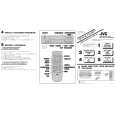 $4.99 HR-A34U JVC
Quick Start Quick start guide ( sometimes called quick guide ) contains most important information on how to use…
|
|
|
> |
|