|
|
|
Categories
|
|
Information
|
|
Featured Product
|
|
|
 |
|
|
There are currently no product reviews.
 ;
Excellant!!! Very quick and easy....Best $4.99 I have spent in a very long time..
I highly recommend this.
;
Thanks so much for the Owner's manual for my Sony PS - FL1. I had purchased the turntable off of eBay. It came in and looked great. Packed well and appeared to be great. I balanced and aligned the tone are and hooked it up. When trying to play a record the tone are would move to the right place and just before it would drop to play it moved back off the edge of the record before touching down. I searched the net for an answer to this issue. No luck. Then I purchased the owners manual and sure enough there was a place to adjust where the stylus touched down. That adjustment solved the problem and saved me a $35 feet to have the player checked out. The manual is well written and easy to understand. It is a must have for anyone with this front loading Sony turntable.
;
Some years back I pruchased a Sansui G-9000. I had it cleaned up and a problem with the left channel repaired. When I got it back I hooked it up to my tape decks, turn tables, TV and it played great. The only thing I was not really satisfied with was the performance of my Graphic Equalizer. I purchased this owner's manual had poured myself a cup of coffee. The manual is well organized and written in plain language. It also contained the solution to my dissatisfaction. By using the preamp connections coupled I was able to run everything through my graphic equalizer and now enjoy the full potential of my complete system.
 ;
An excellent service for the price, however, it would also have been handy if the troubleshooter pages were included. The manual is only sent in the language of your country, thus it looks as though there are some pages missing. Otherwise highly recommended.
;
I am happy to get a rare TECHNICS SH-9090 Owner's Manual by PDF in clear copy.
40 FR
E N M
ENREGISTREMENT PAR MINUTERIE (suite)
IMPORTANT
Si vous avez déménagé dans une région différente ou si un numéro de chaîne des stations a été changé, le mauvais
Réglage VCR Plus+
Mettre en marche le téléviseur et sélectionner le canal VCR 3 ou 4 (ou le mode AV).
POWER
numéro CANAL VID�O ou CABLE sera affiché sur l'écran de programmation VCR Plus+ ( étape 5 à la page 39). Si ceci se produit, effectuez les étapes suivantes pour régler le numéro guide correct pour cette station. Pour s'assurer que l'enregistrement par minuterie VCR Plus+ fonctionne correctement, il est nécessaire de modifier le "Réglage des numéros guides" VCR Plus+ pour toutes les stations. Veuillez lire attentivement les informations suivantes.
U
Correspondance des numéros guides VCR Plus+
Le VCR Plus+ affecte un "numéro guide" VCR Plus+ aux canaux TV diffusés et câblés. Ces numéros guides sont également appelés des codes de canal VCR Plus+. La plupart des guides TV ont une section, tel un tableau, indiquant les "numéros guides" affectés à chaque station. Pour une programmation VCR Plus+ précise, le numéro guide VCR Plus+ pour chaque station doit correspondre au numéro de canal sur lequel la station est reçue dans votre région.
OK
C H
REMARQUES:
� Dans bien des cas, les numéros guides VCR Plus+ pour les stations TV diffusées et câblées NE correspondent PAS au numéro sur lequel la station est reçue par le magnétoscope ou l'adaptateur de TV câblé. Vérifier sur vos guides TV, ou contacter votre fournisseur de TV câblée pour des détails. � Beaucoup de stations TV diffusées normalement peuvent être vues sur le câble. Vérifier sur votre guide TV, ou contacter votre fournisseur de TV câblée pour des détails. %
POWER
1 4 7
2 5 8 0
3
2
METTRE EN MARCHE LE MAGN�TOSCOPE
Appuyer sur POWER.
6 9
4
1
AVOIR ACC�S AU MENU SUR �CRAN
Appuyer sur MENU.
1
2
3
OK
AVOIR ACC�S � L��CRAN DE R�GLAGE INITIAL
MENU SHUTTLE PLUS
3
Appuyer sur CH 5� ou sur SHUTTLE PLUS %� pour déplacer la barre illuminée (flèche) sur �R�GLAGE INITIAL�, puis appuyer sur OK ou SHUTTLE PLUS .
MENU PRINCIPAL FIXER FONCTION R�GL. DU SYNTONISATEUR =R�GLAGE INITIAL
APPUYEZ (5,�) APR�S (OK) APPUYEZ (MENU) POUR FINIR
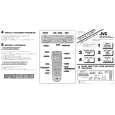 $4.99 HR-S3500U JVC
Quick Start Quick start guide ( sometimes called quick guide ) contains most important information on how to use…
|
|
|
> |
|