|
|
|
Categories
|
|
Information
|
|
Featured Product
|
|
|
 |
|
|
There are currently no product reviews.
 ;
My first manual from Owner-Manuals.com but not the last! I am very satisfied with the easy ordering and promt delivery of a manual I did not find anywhere else.
 ;
This manual is very helpfull to use the Power Supply. All technical information has been available.
For service use the circuit diagrams are very good.
Thanks .
;
Very comprehensive document which is a must-have for any Satellit 2100 owner whose set up is somewhat intricate. Due to the bad quality of the pictures that are rather dark and a bit blurred I gave 4-star feedback.
;
The manual was missing 2 pages but when I presented the problem to the company they made every attempt to get the 2 pages to me, when they couldn't they refunded my money. A very pleasing and easy transaction. The manual they provided was the original, it was concise and to the point. I plan to do business with this company again when should the need arise.
;
The owners manual is very good. all my how to questions were answered in detail.
14 FR
2�4 15
REW FF
R�GLAGES INITIAUX (suite)
2 Appelez l'écran de réglage du syntoniseur
Sur le panneau avant: Appuyez sur CH5� pour déplacer la barre de mise en valeur (flèche) sur �R�GL. DU SYNTONISATEUR�, puis appuyez sur OK. Sur la télécommande: Appuyez sur SHUTTLE PLUS %� pour déplacer la barre de mise en valeur (flèche) sur �R�GL. DU SYNTONISATEUR�, puis appuyez sur OK ou sur SHUTTLE PLUS #.
POWER
MENU PLAY
S-VIDEO
VIDEO (MONO)L�AUDIO�R
S-VHS ET
SP EP VCR
CH
OK
REC
STOP/EJECT
PAUSE
2�4
3 Appelez l'écran de réglage manuel des
canaux
Sur le panneau avant: R�GL. DU SYNTONISATEUR Appuyez sur CH5� BANDE C�BLE pour déplacer la barre de R�GL. AUTO DES CANAUX mise en valeur (flèche) =R�GL. MANU DES CANAUX sur �R�GL. MANU DES CANAUX�, puis APPUYEZ (5,�) APR�S (OK) appuyez sur OK. APPUYEZ (MENU) POUR FINIR Sur la télécommande: Appuyez sur SHUTTLE PLUS %� pour déplacer la barre de mise en valeur (flèche) sur �R�GL. MANU DES CANAUX�, puis appuyez sur OK ou SHUTTLE PLUS #.
1 4 7
2 5 8 0
3
2
6 9
4
4
4 Ajoutez ou sautez les canaux souhaités
Sur la télécommande R�GL. MANU DES CANAUX UNIQUEMENT: 1 Appuyez sur les (C�BLE) CANAL 45 AJOUT� Touches numériques pour entrer le numéro APPUYEZ SUR TOUCHE (0�9) de canal que vous OU (5,�) APR�S (OK) APPUYEZ (MENU) POUR FINIR souhaitez ajouter. 2 Appuyez sur OK ou sur SHUTTLE PLUS # pour choisir �AJOUT��. 3 Répétez 1 et 2 pour ajouter d'autres canaux. Sur le panneau avant: 1 Appuyez sur CH5� pour choisir un numéro de canal que vous souhaitez sauter. 2 Appuyez sur OK pour choisir �SAUTER�. 3 Répétez 1 et 2 pour sauter d'autres canaux. Sur la télécommande: 1 Appuyez sur les Touches numériques ou sur SHUTTLE PLUS %� pour entrer le numéro de canal que vous souhaitez ajouter. 2 Appuyez sur OK ou sur SHUTTLE PLUS # pour choisir �SAUTER�. 3 Répétez 1 et 2 pour ajouter d'autres canaux. Pour sauter les canaux
Pour ajouter des canaux
1
15
3
2�4 2�4
Réglage des canaux manuellement
� Réglage manuel des canaux
Vous pouvez ajouter les canaux que vous souhaitez et effacer les indésirables manuellement.
5 Retournez à l'écran normal
Appuyez sur MENU.
1 Appelez l'écran du menu principal
Appuyez sur MENU.
 $4.99 HR-S4800U JVC
Quick Start Quick start guide ( sometimes called quick guide ) contains most important information on how to use… 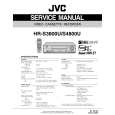 $4.99 HRS4800U JVC
Service Manual Complete service manual in digital format (PDF File). Service manuals usually contains circuit diagr…
|
|
|
> |
|