|
|
|
Categories
|
|
Information
|
|
Featured Product
|
|
|
 |
|
|
There are currently no product reviews.
 ;
Excellent product and service. I bought a second-hand Casio CPS-60 keyboard which had no manual. Packed full of features which I had no idea how to operate . . .
Google search found this site (and others with the same manual for sale for $8.99!)
I bought the manual and within an hour the download was available. Quality of the scanned images is good - very clear - and the PDF has been created with the pages in the correct order.
I would definitely use this site again.
;
I found this rare manual, in french ! The brand of my washing machine is not famous but this site had the manual, that is perfect.
;
The manual was everything that I wanted. Clearly printed and delivered in very quick time. Would certainly use again if I needed a manual in the future
;
I received the manual in correct time. It was a perfect help for me.
;
excellent quality, contains circuits and scan quality, 226 pages
EN
11
Setting clock semiautomatically
� Semiauto Clock Set
You can change the host channel/D.S.T. /time zone setting manually. First follow steps 1 to 3 on page 10, then go to the following steps.
6 Select D.S.T. mode
You have three choices: AUTO� Select if you want to adjust your VCR�s clock automatically by the incoming signal from the host channel. (Auto Daylight Saving Time*) ON� Adjustment will be made by the built-in clock itself. OFF� Select when Daylight Saving Time does not apply to you.
4 Set Auto Clock to ON
Press SHUTTLE PLUS # to move the highlight bar to �AUTO CLOCK�, then press SHUTTLE PLUS %� so that �ON� is selected. Then;
CLOCK SET TIME DATE YEAR 1:00PM 12/24 00 SUN AUTO CLOCK : ON HOST CH : AUTO (CATV) D.S.T. : AUTO TIME ZONE : AUTO PRESS (5,�), THEN (OK) PRESS (MENU) TO END
Press SHUTTLE PLUS # to move the highlight bar to �D.S.T.�, then press SHUTTLE PLUS %� repeatedly until the desired setting is selected.
7 Select time zone
To select the host channel � go to step 5. To select the D.S.T. mode � go to step 6. To select the time zone � go to step 7.
You can select the time zone automatically or
NOTE:
The time set previously will be erased when �AUTO CLOCK�, �HOST CH�, �D.S.T.� or �TIME ZONE� setting is changed.
manually. Press SHUTTLE PLUS # to move the highlight bar to �TIME ZONE�, press SHUTTLE PLUS %� repeatedly until �AUTO� or the desired time zone is selected. Each time you press the button, the time zone changes as follows: = AUTO = ATLANTIC = EASTERN = CENTRAL = MOUNTAIN = PACIFIC = ALASKA = HAWAII = (back to the beginning)
5
Select host channel
You can either select �AUTO� or enter a PBS channel number. Press SHUTTLE PLUS # to move the highlight bar to �HOST CH�, then press SHUTTLE PLUS %� until �AUTO� or the desired PBS channel number is selected.
NOTE:
If an incorrect clock time is displayed by the Plug & Play setting, you may be receiving the clock setting data of a PBS channel from an adjacent time zone or from an incorrect PBS channel from a cable TV system. If you selected "AUTO" for the host channel in step 5, be sure to select the correct time zone manually.
NOTE:
Some PBS channels do not transmit clock setting data.
8 Return to normal screen
Press MENU.
* Auto Daylight Saving Time
This function enables automatic adjustment of the VCR�s clock at the start and end of Daylight Saving Time. With Auto DST activated, . . . ... on the first Sunday of April at 2:00 AM, the clock is adjusted to 3:00 AM. ... on the last Sunday of October at 2:00 AM, the clock is adjusted to 1:00 AM.
IMPORTANT
Turn off the VCR after performing Semiauto Clock Set. �Auto� will appear on the front display panel while the clock is being set. The current clock time will appear automatically when the clock setting is complete.
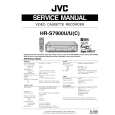 $4.99 HRS7900U JVC
Service Manual Complete service manual in digital format (PDF File). Service manuals usually contains circuit diagr…
|
|
|
> |
|