|
|
|
Categories
|
|
Information
|
|
Featured Product
|
|
|
 |
|
|
There are currently no product reviews.
 ;
SCANNING OF HIGH QUALITY
VERY, VERY HIGH VELOCITY DOWNLOAD
VERY GOOD PRICE,
TRUE SATISFIED, THANKS
;
Genuine Toshiba owner's manual. Couldn't really ask for more. And written in understandable English in contrast to a few recent experiences I have had with manuals for other equipment other than Toshiba but made in China and written in "Chinglish"!
;
I purchased a vintage Sony mixer off eBay and within the hour was able to locate and purchase the manual for it.I mean really,where else can you find a manual for a product made in 1983!? It was easy to find and purchase/download the manual I needed.I will use this site again for other equipment I have! Great site!
;
manual de usuario perfecto y completo de buena calidad de impresion y muy detallado ideal !
 ;
It`s full copy of a service manual from url http://www.philips.owner-manuals.com/PM3216-service-manual-PHILIPS.html
38
advanced features
Picture Quality
Manual Tracking
Your VCR is equipped with automatic tracking control. This will be adequate for most tapes and will automatically adjust the tracking to suit the particular tape in use but if you insert an old or worn tape, it may be necessary to manually adjust the tracking in order to get the best picture. If automatic tracking fails, you will notice noise bars appearing across the picture; you can correct this by manually overriding the tracking using the following steps.
adjust tracking manually During playback, use the PR + or � buttons to adjust the tracking manually.
NOTE: When a new tape is inserted, the VCR returns to automatic tracking.
Picture Control
This feature allows you to select the most appropriate picture quality according to the type of tape or use of this VCR. The default setting is OFF. EPC get to the main menu Press MENU. Select the icon EPC using the * and Tbuttons and press OK.
select picture control mode Select the desired mode using the ^ and & buttons and press * or T.
OFF:
SOFT: SHARP:
Picture quality is not adjusted. Reduces image coarseness when viewing overplayed tapes containing lots of noise. Clearer, sharper-edged picture when viewing images with lots of flat, same-coloured surfaces such as cartoons.
return to normal screen Press MENU.
NOTE: You can perform EPC setting only during playback.
OFF SOFT SHARP
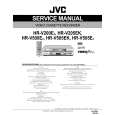 $4.99 HRV205EK JVC
Service Manual Complete service manual in digital format (PDF File). Service manuals usually contains circuit diagr…
|
|
|
> |
|