|
|
|
Categories
|
|
Information
|
|
Featured Product
|
|
|
 |
|
|
There are currently no product reviews.
 ;
This is a great manual. It was easy to read and very accurate. The size of the manual is small so email is no problem. I highly recommend it. The manual is very hard to find other than this website.
;
Manual was complete and available promptly, since I had lost my original manual. Very good response.
;
Whilst this is a photo copy, and some of the pages are a little askew, it was all readable and intact. A real bonus finding an old manual for a classic piece of kit that no other site had.
Great stuff.
;
excellent quality, contains circuits and scan quality, 110 pages
;
It was easy done, and I got exactly what I was looking for.
16 EN
SIMPLE PLAYBACK AND RECORDING
Simple Playback
Turn on the TV and select the VCR channel 3 or 4 (or AV mode).
Y
1
Make sure the window side is up, the rear label side is facing you and the arrow on the front of the cassette is pointing towards the VCR. Don�t apply too much pressure when inserting.
LOAD A CASSETTE
� The VCR�s power comes on automatically. � The counter is automatically reset to "0:00:00". � If the cassette's record safety tab has been removed, playback begins automatically.
STOP
FIND PROGRAM START POINT
2 3
STOP/EJECT FF
If the tape is advanced past the start point, press REW. To go forward, press FF.
R WE
P L A
Press PLAY. "VIDEO CALIBRATION" appears on the screen (when VIDEO CALIBRATION is set to "ON" pg. 26).
START PLAYBACK STOP PLAYBACK
4
Press STOP or STOP/EJECT. Then press STOP/EJECT to remove the cassette.
INFORMATION
1 4 7 2 5 8 0
PLAY
3 6 9
4 2
This video recorder is equipped with SQPB (S-VHS QUASI PLAYBACK) that lets you watch tapes recorded in the S-VHS format with regular VHS resolution. � SQPB does not deliver Super VHS resolution. � S-VHS recording is not possible with this video recorder.
Usable cassettes
Full-Size VHS T-30 (ST-30**) T-60 (ST-60**) T-90 T-120 (ST-120**) T-160 (ST-160**) ST-210**
3
1
FF (Fast-Forward) REW (Rewind)
Compact VHS* TC-20 (ST-C20**) TC-30 (ST-C30**) TC-40 (ST-C40**) * Compact VHS camcorder recordings can be played on this video recorder. Simply place the recorded cassette into a VHS Cassette Adapter and it can be used just like any full-sized VHS cassette. ** This video recorder can record on regular VHS and Super VHS cassettes. However, it will record regular VHS signals only.
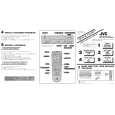 $4.99 HR-VP452U JVC
Quick Start Quick start guide ( sometimes called quick guide ) contains most important information on how to use…
|
|
|
> |
|