|
|
|
Categories
|
|
Information
|
|
Featured Product
|
|
|
 |
|
|
There are currently no product reviews.
 ;
Great price, Quick delivery, the document was very usefull A+++++++++++++++
;
Thank´s for your help, I already recived these manual from you
;
Thank you for your manual It has the basic things to and i use the Oszi for Longer Time.
THX
;
Actually, I was looking for this information for 3 years!...now thanks to you, the manual is on my hands and of great help, cause I understand now where I was doing wrong connections and wires...excellent, I'll be back to you if in need, thank you.
 ;
This manual covers the main equipment features only. While it also includes the procedure for saving and loading from the now long obsolete memory cards it does not mention the how to operate with the optional floppy drive interface so I am still at a loss about how to use this! Note that there is a separate manual covering the MIDI interface and programming via the keyboard, not included in this download. You will also need to get hold of this if you want to use the MIDI interface properly. Basically there is little difference between this manual and the free to download manual for the similar PR60 model.
14 FR
POWER
R�GLAGES INITIAUX (suite)
Régler les canaux recevables
Syntonisateur
Mettre en marche le téléviseur et sélectionner le canal VCR 3 ou 4 (ou le mode AV).
H
METTRE EN MARCHE LE MAGN�TOSCOPE
Appuyer sur POWER.
1 2
AVOIR ACC�S AU MENU SUR �CRAN
Appuyer sur MENU.
MENU
AVOIR ACC�S � L'�CRAN DE R�GLAGE DU SYNTONISATEUR
C
OK
3
POWER
Déplacer la barre illuminée (flèche) sur �R�GL. DU SYNTONISATEUR� en 5 appuyant sur CH � ou SHUTTLE PLUS %�, puis sur OK ou SHUTTLE PLUS .
MENU PRINCIPAL FIXER FONCTION =R�GL. DU SYNTONISATEUR R�GLAGE INITIALE
%
APPUYEZ (5,�) APR�S (OK) APPUYEZ (MENU) POUR FINIR
1 4 7
2
5 8 0
6 9
3
2
4
EFFECTUER LE R�GLAGE AUTOMATIQUE DES CANAUX
CH+/�
4
1
Déplacer la barre illuminée (flèche) sur �R�GL. AUTO DES CANAUX� en appuyant sur CH 5� ou SHUTTLE PLUS %�, puis sur OK ou SHUTTLE PLUS � Les canaux recevables dans votre région sont affectés automatiquement aux touches CH 5� (+/�), et les canaux non recevables sont sautés. % .
R�GL. DU SYNTONISATEUR BANDE CABLE =R�GL. AUTO DES CANAUX R�GL. MANU DES CANAUX
APPUYEZ (5,�) APR�S (OK) APPUYEZ (MENU) POUR FINIR R�GL. AUTO DES CANAUX
3
OK
MENU SHUTTLE PLUS
CHERCHER...
REMARQUES:
APPUYEZ (MENU) POUR FINIR
� A la fin du réglage automatique des canaux, �BALAYAGE COMPL�T�� apparaît sur l�écran. � Si le balayage n�a pas réussi, �BALAYAGE COMPL�T� � AUCUN SIGNAL� apparaît sur l�écran. Vérifier les raccordements et recommencer.
INFORMATION
Le magnétoscope détecte la bande (TV ou CABLE) et sélectionne automatiquement la bande correcte pendant le réglage automatique des canaux. La bande sélectionnée sera affichée sur le côté droit de "BANDE" sur l'écran de réglage du syntonisateur.
REVENIR � L��CRAN NORMAL
5
Appuyer sur MENU.
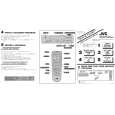 $4.99 HR-VP654U JVC
Quick Start Quick start guide ( sometimes called quick guide ) contains most important information on how to use…
|
|
|
> |
|