|
|
|
Categories
|
|
Information
|
|
Featured Product
|
|
|
 |
|
|
There are currently no product reviews.
 ;
Manual was delivered in a timely manner and was all in English as advertised. The manuals I received when we moved into our flat were in German, Italian, and French. Having never used a steamer before, and not speaking/reading German very well, I needed an English Manual. this was a huge help.
 ;
Great Manual. This manual is available no where else. It was exactly what I was looking for. Only in German.
;
This GRUNDIG UV5A Owner Manual is not only an instruction manual but a total functional circuit description of the Multimeter and includes circuit diagram at the end pages. It is very helpful for repairing and calibrating the instrument. It is written in two languages English and German for international support. It was very easy to repair my unit with this document. Regards, Regis Pauly, Electrical Engineer.
;
The owner's manual was evetything I thought it would be. I was able to print it out using both sides of the paper in quick order, saving me a search online for a used one.
;
Хорошее качество сканирования.
Мануал пришел часов эдак через 12. В целом доволен.
FR
AVOIR ACC�S � L��CRAN DE R�GLAGE DES NUM�ROS GUIDES
Appuyer sur CH 5� ou sur SHUTTLE PLUS %� pour déplacer la barre illuminée (flèche) sur �GUIDE DU R�GL. CANAUX�, puis appuyer sur OK ou SHUTTLE PLUS .
39
MENU
4
H C
R�GLAGE INITIALE HORLOGE R�GL� LANGUAGE FRANCAIS =GUIDE DU R�GL. CANAUX CABLODISTRIBUTEUR R�GL� R�CEPTEUR DBS R�GL� APPUYEZ (5,�) APR�S (OK) APPUYEZ (MENU) POUR FINIR
OK
5
1
NUMBER
2 5 8 0
3
2
Appuyer sur CH 5�, sur (Ex.) Pour entrer le numéro SHUTTLE PLUS %� ou guide 6 pour WNJU (Ind.) sur les touches NUMBER GUIDE DU R�GL. DES CANAUX correspondantes pour entrer le numéro-guide GUIDE : 6 VCR Plus+ comme indiqué CANAUX VIDEO : � � � dans le guide TV. Puis appuyer sur OK ou SHUTTLE PLUS . APPUYEZ LE NUM�RO (0�9) % � Si vous recevez vos canaux avec un adaptateur de TV câblée et si vous avez réglé correctement votre commande d�adaptateur, �CABLE� apparaît à la place de �CANAUX VIDEO�. Si non, se référer aux pages 16 à 18 et refaire la procédure. %
OU (5,�) APR�S (OK) APPUYEZ (MENU) POUR FINIR
ENTRER LE NUM�RO-GUIDE
4 7
6 9
4
1
6
3
Appuyer sur CH 5�, sur SHUTTLE PLUS %� ou sur les touches NUMBER correspondantes pour
ENTRER LE NUM�RO DE CANAL DE R�CEPTION
(Ex.) Si WNJU (Ind.) est reçu sur le canal 47
GUIDE DU R�GL. DES CANAUX GUIDE : 6 47
OK
MENU SHUTTLE PLUS
entrer le numéro du canal sur lequel les émissions du canal guide sont reçues. Puis appuyer sur OK ou SHUTTLE PLUS . � Répéter les étapes 5 et 6 pour chaque changement.
CANAUX VIDEO :
APPUYEZ LE NUM�RO (0�9) OU (5,�), APR�S (OK) APPUYEZ (MENU) POUR FINIR
7
REVENIR � L��CRAN NORMAL
Appuyer sur MENU.
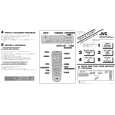 $4.99 HR-VP658U JVC
Quick Start Quick start guide ( sometimes called quick guide ) contains most important information on how to use…
|
|
|
> |
|