|
|
|
Categories
|
|
Information
|
|
Featured Product
|
|
|
 |
|
|
There are currently no product reviews.
 ;
Although printing quality is not the best, the manual was very helpful in order to reactivate this ancient but still good electronic musical instrument.
 ;
as a first-time user and buyer from this site, i found the overall service outstanding!! this product is a godsend as, without it, i would never have been able to find my way around and use my machine as intended. i will certainly use this site again as required. many many thanx!!
;
This manual is exactly what I needed. This site always has every manual I need, and it is also much less expensive then most other sites. This is the only manual site I will use.
;
Useful manual, good scan, worth the pay if you find the unit difficult to operate.
;
Exactly as described, the full user-manual (145 pages). Perfect.
14 FR
15 2�4
R�GLAGES INITIAUX (suite)
2 Appelez l'écran de réglage du syntonisateur
Sur le panneau avant: Appuyez sur CH5� pour déplacer la barre de mise en valeur (flèche) sur �R�GL. DU SYNTONISATEUR�, puis appuyez sur OK. Sur la télécommande: Appuyez sur SHUTTLE PLUS %� pour déplacer la barre de mise en valeur (flèche) sur �R�GL. DU SYNTONISATEUR�, puis appuyez sur OK ou sur SHUTTLE PLUS #.
SP EP VCR
3 Appelez l'écran de réglage manuel des
2�4
canaux
Sur le panneau avant: R�GL. DU SYNTONISATEUR Appuyez sur CH5� pour déplacer la barre BANDE C�BLE R�GL. AUTO DES CANAUX de mise en valeur =R�GL. MANU DES CANAUX (flèche) sur �R�GL. MANU DES CANAUX�, puis appuyez sur OK. APPUYEZ (5,�) APR�S (OK) APPUYEZ (MENU) POUR FINIR Sur la télécommande: Appuyez sur SHUTTLE PLUS %� pour déplacer la barre de mise en valeur (flèche) sur �R�GL. MANU DES CANAUX�, puis appuyez sur OK ou SHUTTLE PLUS #.
1 4 7
2 5 8 0
3
2
6 9
4
4
4 Ajoutez ou sautez les canaux souhaités
R�GL. MANU DES CANAUX Sur la télécommande: 1 Appuyez sur les (TV) Touches numériques CANAL 45 AJOUT� ou sur SHUTTLE PLUS %� pour APPUYEZ SUR TOUCHE (0�9) entrer le numéro de OU (5,�) APR�S (OK) APPUYEZ (MENU) POUR FINIR canal que vous souhaitez ajouter. 2 Appuyez sur OK ou sur SHUTTLE PLUS # pour choisir �AJOUT��. 3 Répétez 1 et 2 pour ajouter d'autres canaux.
Pour ajouter des canaux
1
15
3
2�4 2�4
Pour sauter les canaux Sur le panneau avant: 1 Appuyez sur CH5� pour choisir un numéro de canal que vous souhaitez sauter. 2 Appuyez sur OK pour choisir �SAUTER�. 3 Répétez 1 et 2 pour sauter d'autres canaux. Sur la télécommande: 1 Appuyez sur les Touches numériques ou sur SHUTTLE PLUS %� pour entrer le numéro de canal que vous souhaitez ajouter. 2 Appuyez sur OK ou sur SHUTTLE PLUS # pour choisir �SAUTER�. 3 Répétez 1 et 2 pour ajouter d'autres canaux.
Réglage des canaux manuellement
� Réglage manuel des canaux
Vous pouvez ajouter les canaux que vous souhaitez et effacer les indésirables manuellement.
5 Retournez à l'écran normal
Appuyez sur MENU.
1 Appelez l'écran du menu principal
Appuyez sur MENU.
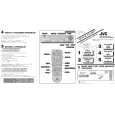 $4.99 HR-VP680U JVC
Quick Start Quick start guide ( sometimes called quick guide ) contains most important information on how to use…
|
|
|
> |
|