|
|
|
Categories
|
|
Information
|
|
Featured Product
|
|
|
 |
|
|
There are currently no product reviews.
 ;
This manual is very helpfull to use the Power Supply. All technical information has been available.
For service use the circuit diagrams are very good.
Thanks .
;
Very comprehensive document which is a must-have for any Satellit 2100 owner whose set up is somewhat intricate. Due to the bad quality of the pictures that are rather dark and a bit blurred I gave 4-star feedback.
;
The manual was missing 2 pages but when I presented the problem to the company they made every attempt to get the 2 pages to me, when they couldn't they refunded my money. A very pleasing and easy transaction. The manual they provided was the original, it was concise and to the point. I plan to do business with this company again when should the need arise.
 ;
The owners manual is very good. all my how to questions were answered in detail.
;
Irrespectively of this manual exist only germany language, it's useful - although i need some additional task to translate: My english is bad, but usable - but i really dont speak germany. :)
SPEAKER FEET
Both the HT4V and HT4H come with rubber, self-adhesive footpads, which should be attached to the bottom corners of each speaker to protect both your furniture and the speakers.
HT4H
The HT4H terminal cup has an adjustable foot to angle the speaker toward the listening position.
Loosen thumbscrew.
Slide rod down the desired amount.
Tighten thumbscrew.
SPEAKER CONNECTIONS
Connection Tips
terminals. Most manufacturers of speakers and electronics, including JBL, use red to denote the (+) terminal and black for the (�) terminal. The (+) lead of the speaker wire is noted with a stripe. It is important to connect both speakers identically: (+) on the speaker to (+) on the amplifier and (�) on the speaker to (�) on the amplifier. Wiring �out of phase� results in thin sound, weak bass and a poor stereo image. With the advent of multichannel surround-sound systems, connecting all of the speakers in your system with the correct polarity remains equally important in order to preserve the proper ambience and directionality of the program material.
Separate and strip the ends of the speaker wire as shown. Speakers and electronics terminals have corresponding (+) and (�)
HT4H
Center Speaker
�
+
HT4V
Right Speaker
Receiver/ Amplifier
Right Left
Left Speaker
�
+
+
�
+
�
�
+
+
�
Receiver/Amplifier
TROUBLESHOOTING
If there is no sound from any of the speakers: � Check that receiver/ amplifier is on and that a source is playing. � Review proper operation of your receiver/amplifier. � Make sure all wires are connected. Make sure none of the speaker wires are frayed, cut or punctured. If the system plays at low volumes but shuts off as volume is increased: � Check all wires and connections between receiver/amplifier and speakers. � If more than one pair of main speakers is being used, check the minimum impedance requirements of your receiver/amplifier. � Make sure all wires are connected. Make sure none of the speaker wires are frayed, cut or punctured. If there is no sound coming from one speaker: � Check the �Balance� control on your receiver/ amplifier. � Check all wires and connections
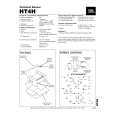 $4.99 HT4H JBL
Quick Start Quick start guide ( sometimes called quick guide ) contains most important information on how to use… $4.99 HT4H JBL
Service Manual Complete service manual in digital format (PDF File). Service manuals usually contains circuit diagr…
|
|
|
> |
|