|
|
|
Categories
|
|
Information
|
|
Featured Product
|
|
|
 |
|
|
There are currently no product reviews.
 ;
Exactly as advertized. High quality digital copy of the Nak 610 user manual. Easy download and access. Highly recommended.
;
The manual was exactly what I wanted and I found it nowhere else. Thanks!
;
Having purchased a 1994 Kenwood music system from a Charity shop in 2013 (it was a high end product in its day), I found myself not quite knowing where to plug in what, and how to do this, that and the next thing. I needed a Manual, and after failure with another online 'Manual provider' I found Owner Manuals dot com. Well, I wasn't sure, but it was only $5, and if things didn't work out, I wouldn't have lost much...
But things DID work out. After paying my childrens inheritance money, $4.99, I was sent a Manual for my Kenwood System very quickly. Alas, it was in German, and being Scottish, I could not read it or get my system in order from it...a rapid email to them brought the English Manual in short order, and my retro-system was and IS up and running in it's regulation settings.
I am very grateful to http://www.owner-manuals.com for their quick service and for even having such an obsolete Manual in the first place! If you need a Manual for ANYTHING, try here first. I wouldn't be surprised if I bought a 1928 Marconi radio, and got the user Manual for THAT here too!
Top marks.
John Copeland
Glasgow
Scotland
;
I was so happy that the owner's manual was available. It is well written and helped me to use the radio/CD player/recorder without problems. Thanks for making it available.
Irene Lambert
;
Excellant!!! Very quick and easy....Best $4.99 I have spent in a very long time..
I highly recommend this.
SPEAKER FEET
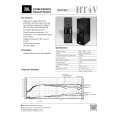
Both the HT4V and HT4H come with rubber, self-adhesive footpads, which should be attached to the bottom corners of each speaker to protect both your furniture and the speakers.
HT4H
The HT4H terminal cup has an adjustable foot to angle the speaker toward the listening position.
Loosen thumbscrew.
Slide rod down the desired amount.
Tighten thumbscrew.
SPEAKER CONNECTIONS
Connection Tips
terminals. Most manufacturers of speakers and electronics, including JBL, use red to denote the (+) terminal and black for the (�) terminal. The (+) lead of the speaker wire is noted with a stripe. It is important to connect both speakers identically: (+) on the speaker to (+) on the amplifier and (�) on the speaker to (�) on the amplifier. Wiring �out of phase� results in thin sound, weak bass and a poor stereo image. With the advent of multichannel surround-sound systems, connecting all of the speakers in your system with the correct polarity remains equally important in order to preserve the proper ambience and directionality of the program material.
Separate and strip the ends of the speaker wire as shown. Speakers and electronics terminals have corresponding (+) and (�)
HT4H
Center Speaker
�
+
HT4V
Right Speaker
Receiver/ Amplifier
Right Left
Left Speaker
�
+
+
�
+
�
�
+
+
�
Receiver/Amplifier
TROUBLESHOOTING
If there is no sound from any of the speakers: � Check that receiver/ amplifier is on and that a source is playing. � Review proper operation of your receiver/amplifier. � Make sure all wires are connected. Make sure none of the speaker wires are frayed, cut or punctured. If the system plays at low volumes but shuts off as volume is increased: � Check all wires and connections between receiver/amplifier and speakers. � If more than one pair of main speakers is being used, check the minimum impedance requirements of your receiver/amplifier. � Make sure all wires are connected. Make sure none of the speaker wires are frayed, cut or punctured. If there is no sound coming from one speaker: � Check the �Balance� control on your receiver/ amplifier. � Check all wires and connections
 $4.99 HT4V JBL
Quick Start Quick start guide ( sometimes called quick guide ) contains most important information on how to use… 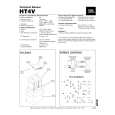 $4.99 HT4V JBL
Service Manual Complete service manual in digital format (PDF File). Service manuals usually contains circuit diagr…
|
|
|
> |
|