|
|
|
Categories
|
|
Information
|
|
Featured Product
|
|
|
 |
|
|
There are currently no product reviews.
 ;
Very well done!!!!! congratulations. It was a bit longer than usual the wiating time even if it was on time (in 24 hours).
;
Last week I bought a second hand BAUKNECHT TRK4850 DRYER. It is a professional machine with many programs and switch options. I feared it would be a huge quest to find a manual. I was delighted when I found owner-manuals.com. After payment I received the file to download the next day already. The quality is great. I am very happy. Thanks!
but kindly the distributions of the operating programs not find in the owners manual,can you help me to understand the operating programs instructions thank you
;
Very good copy, very readable and easy transaction as always.
;
It is perfect, exactly what we needed. It's like the paper version but less clutter.
 ;
Received my manual within 24 hours. Very clear scan of the manual I needed. Thanks!
SPEAKER CONNECTIONS
CONNECTION TIPS
speaker to (+) on the amplifier and (�) on the speaker to (�) on the amplifier. Wiring �out of phase� results in thin sound, weak bass and a poor stereo image. Speakers and electronics terminals have corresponding (+) and (�) terminals. It is important to connect both speakers identically: (+) on the With multichannel surroundsound systems, connecting all of the speakers in your system with the correct polarity is important in order to preserve the proper
RIGHT LEFT
�
+ �+ � +
�
+
Speaker Outputs
ambience and directionality of the program material.
TROUBLESHOOTING
If there is no sound from any of the speakers: � Check that receiver/ amplifier is on and that a source is playing. � Review proper operation of your receiver/amplifier. � Check all wires and connections between receiver/ amplifier and speakers. � Make sure all wires are connected. Make sure none of the speaker wires are frayed, cut or punctured. If there is no sound coming from one speaker: � Check the �Balance� control on your receiver/ amplifier. � Check all wires and connections between receiver/amplifier and speakers. Make sure all wires are connected. Make sure none of the speaker wires are frayed, cut or punctured. � In Dolby* Digital or DTS® modes, make sure that the receiver/processor is configured so that the speaker in question is enabled. If the system plays at low volumes but shuts off as volume is increased: � Check all wires and connections between receiver/amplifier and speakers. Make sure all wires are connected. Make sure none of the speaker wires are frayed, cut or punctured. � If more than one pair of main speakers is being used, check the minimum impedance requirements of your receiver/amplifier. If there is low (or no) bass output: � Make sure the connections to the left and right �Speaker Inputs� have the correct polarity (+ and �). � If a powered subwoofer is being used, check the manufacturer�s instructions for proper use. � If a subwoofer is being used in Dolby Digital or DTS mode, make sure your receiver/processor is configured so that the subwoofer and LFE output are enabled. If there is no sound from the surround speakers: � Check all wires and connections between receiver/ amplifier and speakers. Make sure all wires are connected. Make sure none of the speaker wires are frayed, cut or punctured. � Review proper operation of your receiver/amplifier and its surround-sound features. � Make sure the movie or TV show you are watching is
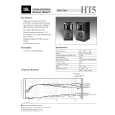 $4.99 HT5 JBL
Quick Start Quick start guide ( sometimes called quick guide ) contains most important information on how to use… 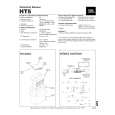 $4.99 HT5 JBL
Service Manual Complete service manual in digital format (PDF File). Service manuals usually contains circuit diagr…
|
|
|
> |
|