|
There are currently no product reviews.
 ;
very good and complete manual , it is in english and german is perfect for repair.
 ;
This manual is complete and of high quality. I am very pleased with the purchase.
;
Another excellent buy! A fully readable PDF archive. Good prints!!
;
It is wonderful done!!! a great job in scanning the manual. Superior quality in all the electric scheme. Very understandable and net!!! Thank you!
;
muy buen manual por lo completo de este algunos esquemas estan muy divididos lo que hace algo dificil el seguimiento.
NOTE WHEN REPAIRING -2/2
2. Upgrade of Firmware of FRONTEND Preparation : 1) Record a file (firmware) on CD-R. * Please refer the STI G-A2-015-E0. 1. Volume label It is made MEDIATEK. 2. File name It is made MTK.bin. Procedure: 1) POWER ON. 2) Insert CD-R disc and shut a lid. 3) Since disc begins to turn, rotation stops at grade automatically for 10 seconds. 4) Disc will be taken out if it checks that disc has stopped. 5) Wait for about 10 seconds in the state where the lid is open. 6) Pull out DC plug. * When rotation does not stop automatically during upgrade, a problem may be in how to make CD-R. Caution: About the version of the firmware of FRONTEND,it cannot check by the monitor etc.
XD-DV1
-42-
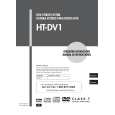 $4.99 HTDV1 AIWA
Owner's Manual Complete owner's manual in digital format. The manual will be available for download as PDF file aft…
|