|
|
|
Categories
|
|
Information
|
|
Featured Product
|
|
|
 |
|
|
There are currently no product reviews.
 ;
I really like this manual and it's reliable.I found and bought easly.thank you.
;
Thank you very much. the Instruction corresponds to my expectations. Sent it in time. I don't regret that paid money.
;
Good quality. Quick service. I recommend to everyone.
;
Very good quality scan of the document. I am very pleased with what I got.
;
PDF Contains
Technical Data, Mechanical data, Detailed Circuit diagram with components value, PCB layout. Actual PCBs Print. Component List, Spare parts code list and Input output detail. It cover LBB1211, LBB1212, LBB1213, LBB1216, LBB1217.
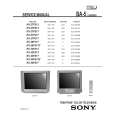
It is the actual Service Manual for SQ10
HTP-940 ADJUSTMENT PROCEDURE
SKW-940 : POWERED SUBWOOFER / ADJUSTMENT OF IDLING CURRENT
[When] 1. Exchange transistors (Q505 - Q519). 2. Exchange MAIN PC board ass'y (NAAF-8829). [Procedure] <Note> No speaker load and No input signal. 1. Short test point P631 for amplifier is under active mode. 2. Adjust the trimming resistor R544 so that the reading of multimeter becomes 52 ohm to 53 ohm. 3. Connect the DC voltmeter to test point P531. <Fig-1> 4. Connect the AC power cord into a wall outlet. 5. Press POWER button to turn on the unit. (MPP type only) 6. Confirm the voltage of above point after 6 minutes to 8 minutes. (Heat running) 7. When less than 3.20 mV : Readjust the trimming resistor above so that the voltage becomes 4.5 mV to 5.0 mV. When 3.30 mV to 5.20 mV : Not necessary to adjust. When 5.21 mV to 10.0 mV : Readjust the trimming resistor above so that the voltage becomes 5.0 mV to 5.5 mV. When 10.1 mV to 20.0 mV : Readjust the trimming resistor above so that the voltage becomes 5.6 mV to 6.0 mV. 8. Press POWER button to turn off the unit. (MPP type only) 9. Disconnect the DC voltmeter. 10. Disconnect the AC power cord from a wall outlet.
100 ohm (1/4W) DC voltmeter
<Fig-1>
Test point
Trimming resistor
Test point
R544
P531
P531
MAIN PC board ass'y "NAAF-8829"
Test point
P631
Short
|
|
|
> |
|