|
|
|
Categories
|
|
Information
|
|
Featured Product
|
|
|
 |
|
|
There are currently no product reviews.
 ;
The manual was made available promptly. I is a clean scan of the original. I had no problem downloading it. The scan was well centered and cleanly formatted. It is as good a product as can be had without being the original document.
 ;
Received downlink in less then 8 hours, Item was in good copy condition, and told me how to program the clock timer. The price was very resonable, and the process was very automated and was GREAT to work with.
;
Fast service, document is OK. Thanks! Searched for it long time.
;
I was very pleased with the manual I got for my amateur (ham) radio. Without it I could not figure out how to input and/or change the P/L setting on my radio. It drove me nuts as the radio was essentially useless. That all changed when my manual came. Then it took only minutes and I was done. Now my radio works fine. This is an exceptionally good resource as it's a very easy and user friendly download. Thank you very much! Dziękujemy za!
;
It answered my question, which was how to load the paper. I did notice that the very end of the manual was not visible.
Adjusting the shutter speed
number that appears on the screen, the slower the shutter speed.
To restore automatic adjustment
You can manually adjust and fix the shutter speed for your convenience. Depending on the shutter speed, you can make the subject look still, or on the contrary, emphasize the fluidity of movement.
Press SHUTTER SPEED, or set the AUTO LOCK switch to AUTO LOCK.
b Note � If you set the AUTO LOCK switch to AUTO LOCK, other manually adjusted items (iris, gain, white balance) also become temporarily automatic. z Tip � It is difficult to focus automatically at a lower shutter speed. Manual focusing with your camcorder attached to a tripod is recommended. � The picture may flicker or change colors under fluorescent lamps, sodium lamps, or mercury lamps.
Adjusting the volume of light � ND FILTER
You can record the subject clearly by using the ND filter when the recording environment is too bright. There are 2 levels of ND filter setting. ND filter 1 reduces the volume of light to about 1/6, and ND filter 2 to about 1/32.
1
During recording or in the standby mode, set the AUTO LOCK switch to the center position to release the auto lock mode. Press SHUTTER SPEED. Adjust the shutter speed by turning the SEL/PUSH EXEC dial.
When 60i is selected in [50i/60i SEL] on the (OTHERS) menu, you can select a shutter speed between 1/4 second and 1/ 10000 second. When 50i is selected in [50i/60i SEL], you can select a shutter speed between 1/3 second and 1/10000 second. The selected shutter speed appears on the screen. For example, if you select 1/100 second, [100] appears. The larger the number that appears on the screen, the faster the shutter speed. The smaller the
2 3
If [ND1] or [ND2] flashes in the standby mode, set the ND FILTER switch to the respective position.
30
Recording
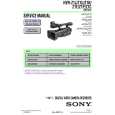 $4.99 HVRZ1N SONY
Service Manual Complete service manual in digital format (PDF File). Service manuals usually contains circuit diagr…
|
|
|
> |
|










