|
There are currently no product reviews.
 ;
perfect! you just sent to me the copy in Italian witout even my specification!!!! so you are really smart cooperative and efficient. To my opinion the best place all over to get a manual of electronics!!!!
;
Well Well Well!!!! Good manual perfect for my hobby!!! As Before you have done a very well done work!!!! Thank you
;
Super nice! Good to have a manual in digital format.
;
Great job supplying the manual.
Many of these products weerepretty obscure, so it was great that you had
the manual for it!
;
Great manual, would not have been able to operate my machine without it!!
James Dawson August 18, 2012
Playing Back a Message at a Desired Time with an Alarm (continued)
To cancel the alarm setting
In step 2 on page 43, select �OFF� and then press ENTER.
To check the alarm setting
Follow steps 1 through 2 on page 43 to display the current alarm date and time. Then follow steps 3 to 7 on pages 44 and 45 to change the alarm date and time.
Notes
� If the alarm time comes while another message is being played back with an alarm, the playback stops and the new message will be played back. � If the alarm time comes during recording, the alarm will sound after the recording is finished. �,�will flash when the alarm time comes. � If more than one alarm time comes during recording, only the first message will be played back. � When the alarm time comes when the unit is in the menu mode, alarm will sound and the menu mode will be cancelled. � If you divide a message you set the alarm for, alarm setting remains on only the first part of the divided message. � Alarm setting will not be cancelled when the alarm playback finishes.
46GB
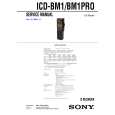 $4.99 ICD-BM1 SONY
Service Manual Complete service manual in digital format (PDF File). Service manuals usually contains circuit diagr…
|