|
|
|
Categories
|
|
Information
|
|
Featured Product
|
|
|
 |
|
|
There are currently no product reviews.
 ;
manual de usuario perfecto y completo de buena calidad de impresion y muy detallado ideal !
 ;
It`s full copy of a service manual from url http://www.philips.owner-manuals.com/PM3216-service-manual-PHILIPS.html
;
perfect! you just sent to me the copy in Italian witout even my specification!!!! so you are really smart cooperative and efficient. To my opinion the best place all over to get a manual of electronics!!!!
;
Well Well Well!!!! Good manual perfect for my hobby!!! As Before you have done a very well done work!!!! Thank you
;
Super nice! Good to have a manual in digital format.
STANDBY/ ON CLOCK SLEEP
GRAPHIC EQ EFFECT MODE
PRESET
FM
TUNER INPUT
AM
TAPE
PAUSE / STEP
DVD
STEREO CASSETTE TAPE DECK
DOLBY NR
REPEAT
SCROLL
MD
PLAY MODE CLEAR
REC
CASSETTE LOADING MECHANISM
REV. MODE
REPEAT
RANDOM
CD
MEMORY
CLEAR DISC
STANDBY/ON
ALBUM REC LEVEL
REPEAT PLAY MODE
CDR
STANDBY
TONE
CLEAR
REC
CD DUBBING
COUNTER RESET
MUTING TIMER
1 4
2 5 8
3 6 9
ACOUSTIC PRESENCE
VOLUME
FADE
UP/DOWN
7
ENTER
(The remote controller is supplied with A-905TX or R-805TX.)
--/- - -
10 / 0
Display B (Dolby B NR)
REC LEVEL
/
REMOTE CONTROLLER
RC-456S
C (Dolby C NR)
The indicator goes off.
DOLBY NR
B
Note � If you do not set the proper recording level for the tape type, the sound may be distorted. � After setting the recording level, if the unit is unplugged, the recording level will revert to its default value (20). Tip To immediately set the recording level to �00,� press and hold REC LEVEL and at the same time for more than two seconds. This is convenient when recording with �00� recording level to erase the recorded tape.
9 Press REC LEVEL
/ to adjust the recording levels (0 to 50).
The recording level indication appears in the display instead of the digital counter. The level between 14 and 24 should suit most recording cases.
REC LEVEL
10 Set the source component to
Recording level indication
start playing at the point you want to start recording from.
Red Yellow
L R
11 Press
Incoming signal level indicator
to start recording (or to record on the reverse side).
Let the tape run for a while if you are starting recording from the beginning of the tape. This is because no sound will be recorded on the leader. or
Before Using Connections Operation Other Information
� When using NORMAL (TYPE I) or HIGH (TYPE II) type cassette Check the incoming signal level indicator. The bottom red bar should light constantly, and the second red bar from the bottom should light occasionally. � When using METAL TAPE (TYPE IV) cassette Check the incoming signal level indicator. The second red bar from the bottom should light constantly, and the third red bar from the bottom should light occasionally.
12 Start playing the source.
To stop recording
Press .
(Continued on the next page)
13
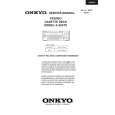 $4.99 K505TX ONKYO
Service Manual Complete service manual in digital format (PDF File). Service manuals usually contains circuit diagr…
|
|
|
> |
|