|
|
|
Categories
|
|
Information
|
|
Featured Product
|
|
|
 |
|
|
There are currently no product reviews.
 ;
Very good detail, Quick service response. A useful service manual with all details. I recomend this service.
;
As Always you can find here manuals even of difficult TV scheme which are scan in almost perfect way.clear and fast!!!!!
Great work thanks!
;
Incredibly clear!!!! Well done, complete and wonderful. It could not better than this!!!!
 ;
Thank You for fast delivery for the sheme.
Everything allright.
Thanks & best regards Franz
;
again you did a very good job. It was fast too. Photocopy are really readable and clear
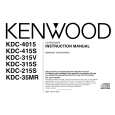
KDC-2016/215S/35MR
TERMINAL DESCRIPTION / ADJUSTMENT
Pin No. 76 77 78 79 80 Pin Name SMETER PHONE NOISE TYPE0 TYPE1 I/O I I I I I Description S-meter input from the tuner pack PHONE detection input Noise detection input Destination type input terminal 0 Destination type input terminal 1 1V or less: TEL MUTE,2.5V or greater: NAVI MUTE Processing Operation
ADJUSTMENT
TEST MODE 1. To enter test mode While holding the �FM� key and preset �6� key ,reset the unit. All indication segments are ON at the beginning of test mode. 2. To release test mode Simply reset the unit. (NOTE) The test mode is not canceled by ACC OFF ,power OFF ,momentary power down or the panel detaching. 3. CD receiver test mode specification Pressing the �Track up� key jumps between tracks in the following order. No.9 � No.15 � No.10 � No.11� No.12 � No.13 � No.14 �No.9 (Same as the beginning) Pressing the �Track down� key jumps to the previous track to the being played. Pressing the preset �1� key jumps to No.28 track. 4. Audio adjustment The volume is set to -10dB (which is shown as 30). Loudness is OFF. The BASS / TREBLE and BALANCE / FADER controls can be set to the full boost / full cut and full front / full rear respectively by pressing the �Track UP� / �Track DOWN� keys. Sound coordination doesn�t appear for the feed.
7
|
|
|
> |
|