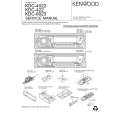
|
|
|
Categories
|
|
Information
|
|
Featured Product
|
|
|
 |
|
|
There are currently no product reviews.
 ;
Exactly as described, the full user-manual (145 pages). Perfect.
Safety precautions
2WARNING
To prevent injury or fire, take the following precautions:
� Insert the unit all the way in until it is fully locked in place. Otherwise it may fall out of place when jolted. � When extending the ignition, battery, or ground wires, make sure to use automotivegrade wires or other wires with a 0.75mm2 (AWG18) or more to prevent wire deterioration and damage to the wire coating. � To prevent a short circuit, never put or leave any metallic objects (such as coins or metal tools) inside the unit. � If the unit starts to emit smoke or strange smells, turn off the power immediately and consult your Kenwood dealer. � Make sure not to get your fingers caught between the faceplate and the unit. � Be careful not to drop the unit or subject it to strong shock. The unit may break or crack because it contains glass parts. � Do not touch the liquid crystal fluid if the LCD is damaged or broken due to shock. The liquid crystal fluid may be dangerous to your health or even fatal. If the liquid crystal fluid from the LCD contacts your body or clothing, wash it off with soap immediately.
2CAUTION
To prevent damage to the machine, take the following precautions:
� Make sure to ground the unit to a negative 12V DC power supply. � Do not open the top or bottom covers of the unit. � Do not install the unit in a spot exposed to direct sunlight or excessive heat or humidity. Also avoid places with too much dust or the possibility of water splashing. � Do not set the removed faceplate or the faceplate case in areas exposed to direct sunlight, excessive heat or humidity. Also avoid places with too much dust or the possibility of water splashing. � To prevent deterioration, do not touch the terminals of the unit or faceplate with your fingers. � Do not subject the faceplate to excessive shock, as it is a piece of precision equipment. � When replacing a fuse, only use a new one with the prescribed rating. Using a fuse with the wrong rating may cause your unit to malfunction. � To prevent a short circuit when replacing a fuse, first disconnect the wiring harness. � Do not place any object between the faceplate and the unit. � Do not use your own screws. Use only the screws provided. If you use the wrong screws, you could damage the unit.
IMPORTANT INFORMATION About CD players/disc changers connected to this unit
KENWOOD disc changers/ CD players released in 1998 or later can be connected to this unit. Refer to the catalog or consult your Kenwood dealer for connectable models of disc changers/ CD players. Note that any KENWOOD disc changers/ CD players released in 1997 or earlier and disc changers made by other makers cannot be connected to this unit. Unsupported connection may result in damage. Setting the "O-N" Switch to the "N" position for the applicable KENWOOD disc changers/ CD players. The functions that can be used and the information that can be displayed will differ depending on the models being connected.
You can damage both your unit and the CD changer if you connect them incorrectly.
Do Not Load 3-in. CDs in the CD slot
If you try to load a 3 in. CD with its adapter into the unit, the adapter might separate from the CD and damage the unit.
�3�
|
|
|
> |
|