|
There are currently no product reviews.
 ;
It was a complete manual as stated. Very good source for older product manuals. Thanks
;
Scan quality is very good. Price is very reasonable. If you're looking to purchase a copy of this manual, this is the one to get.
 ;
Perfect for my use.Could have better pictures,but otherwise perfect ;)
;
This is one of four manuals I have downloaded recently.
Purchase was very straight forward and the authorising email arrived in about 4 hours.
The quality of the scan is good. Print is clear and square to the page edges.
;
Exactly as advertized. High quality digital copy of the Nak 610 user manual. Easy download and access. Highly recommended.
Attenuator
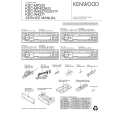
Turning the volume down quickly. Press the [ATT] button. Each time the button is pressed the Attenuator turns ON or OFF. When it�s ON, the "ATT" indicator blinks.
System Q
You can recall the best sound setting preset for different types of music.
1 2
Select the source to set Press the [SRC] button. Select the Sound type Press the [Q] button. Each time the button is pressed the sound setting switches. Sound setting Display Flat "FLAT" Rock "ROCK" Top 40 "TOP40" Pops "POPS" Jazz "JAZZ" Easy "EASY"
� Each setting value is changed with the <Speaker setting> (page 10). First, select the speaker type with the Speaker setting. � When the System Q setting is changed, the Bass, Middle, and Treble set in audio control replace the System Q values.
Loudness
Compensating for low and high tones during low volume. Press the [LOUD] button for at least 1 second. Each time the button is pressed for at least 1 second the Loudness turns ON or OFF. When it�s ON, "LOUD" indicator is ON.
�9�
|