|
|
|
Categories
|
|
Information
|
|
Featured Product
|
|
|
 |
|
|
There are currently no product reviews.
 ;
I am happy to get a rare TECHNICS SH-9090 Owner's Manual by PDF in clear copy.
;
Hr, klasse , good manual, verry fast on my e-mail, very usefull manual. rgds; ahm zeegers
;
I received the owners manual complete download. Wow did it help me. So glad for your website. Can you include an ownersmanual for people lol!
Thanks, sure I will be back
;
fast response great copy easy to download quick to correct mistakes
;
This manual provided the necessary information to properly use the C-3 deck. The manual was an excellent reproduction and very clear.
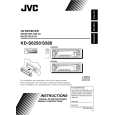
Remote controller
RM-RK60
3 � Selects the preset stations while listening to the radio (or the DAB tuner). Each time you press the button, the preset station (ensemble) number increases, and the selected station (ensemble) is tuned in. � Skips to the first file of the previous folder while listening to an MP3 disc. Each time you press the button, you can move to the previous folder and start playing the first file. � While playing an MP3 disc on an MP3compatible CD changer; � Skips to the previous disc if pressed briefly. � Skips to the previous folder if pressed and held. Note: While playing a CD on a CD changer, this always skips to the previous disc. 4 Selects the sound mode. Each time you press the button, sound mode (iEQ) changes. 5 � Selects the band while listening to an FM broadcast (or the DAB tuner). Each time you press the button, the band changes. � Skips to the first file of the next folder while listening to an MP3 disc. Each time you press the button, you can move to the next folder and start playing the first file. � While playing an MP3 disc on an MP3compatible CD changer; � Skips to the next disc if pressed briefly. � Skips to the next folder if pressed and held. Note: While playing a CD on a CD changer, this always skips to the next disc. 6 Selects the source. Each time you press the button, the source changes. 7 Functions the same as the control dial on the main unit. Note: This button does not function for the preferred setting mode adjustment.
S
1 � Turns on the unit if pressed when the unit is turned off. � Turns off the unit if pressed and held until �SEE YOU� appears on the display. � Drops the volume level if pressed briefly, and �ATT� rotates on the display. Press again to resume the volume. 2 � Searches stations while listening to the radio. � Selects services while listening to the DAB tuner if pressed briefly. � Searches ensembles while listening to the DAB tuner if pressed for more than 1 second. � Fast-forwards or reverses the track/file if pressed and held while listening to a disc. � Skips to the beginning of the next track/file or goes back to the beginning of the current (or previous) track/file if pressed briefly while listening to a disc.
5
ENGLISH
 $4.99 KDLX555R JVC
Service Manual Complete service manual in digital format (PDF File). Service manuals usually contains circuit diagr…
|
|
|
> |
|