|
|
|
Categories
|
|
Information
|
|
Featured Product
|
|
|
 |
|
|
There are currently no product reviews.
 ;
Thank you for providing quickly a manual so old! very good job clear and understandable!
;
Excellent printing quality.
A complete and very usefull service manual with all details.
GREAT SERVICE AT VERY LOW PRICE!
A+++++++++++++++++++++++++
;
Excellent printing quality.
A complete and very usefull service manual with all details.
GREAT SERVICE AT VERY LOW PRICE!
A+++++++++++++++++++++++++
;
Excellent printing quality.
A complete and very usefull service manual with all details.
GREAT SERVICE AT VERY LOW PRICE!
A+++++++++++++++++++++++++
;
Very fast and perfect delivery. Clear and well scanned. A lot of work professionally realized.
Again thak you a lot
KDP-51WS655/57WS655
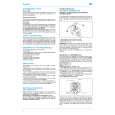
2-13-1. ADJUSTMENT FOR NTSC FULL MODE
� The adjustment should be done in the numerical order given.
GRN SIZE (Horizontally/Vertically)
Push the joystick to Push the joystick to
1) GREEN ADJUSTMENT
1. Cover the red and blue CRT lenses with lens caps to allow only green to show (or use the method shown in the note below for turning off the CRTs individually without using lens caps). 2. Enter the monoscope signal to set. 3. Select the PJE mode. 4. Press the �6� button on the remote commander to display the internal test signal (crosshatch). 5. Select �GRN CENT�, and adjust so that the pictures coincide in the center of screen. Note: If lens caps are unavailable, you can cut off the unnecessary color beams by controlling the service mode MCP-RON, GON, BON. GRN CENT (Horizontally/Vertically)
Push the joystick to Push the joystick to
Push the joystick to
Push the joystick to
8. Select �GRN LIN�, and adjust so that each space at the right end and at the left end of screen is equal. Adjust so that each space at the top and at the bottom of screen is equal. GRN LIN (Horizontally/Vertically)
Push the joystick to Push the joystick to
Push the joystick to
Push the joystick to Push the joystick to Push the joystick to
6. Select �GRN SKEW�, and correct the tilt of horizontal lines and vertical lines. GRN SKEW (Horizontally/Vertically)
Push the joystick to Push the joystick to
9. Select �GRN BOW�, and adjust so that the raster is not curved. GRN BOW (Horizontally/Vertically)
Push the joystick to Push the joystick to
Push the joystick to
Push the joystick to Push the joystick to Push the joystick to
7. Select �GRN SIZE�, and adjust so that each distance from center to left end and to right end is equal. Adjust so that each distance from center to top and to bottom is equal.
KDP-51WS655/57WS655
44
|
|
|
> |
|