|
|
|
Categories
|
|
Information
|
|
Featured Product
|
|
|
 |
|
|
There are currently no product reviews.
 ;
I did not have the manual for a Whirl Pool gas dryer, therefore I purchased it from Owner-manuals. This is exactly what I needed. Thank you for the service.
 ;
I was so pleased to get the owner`s manuel within one hour! Thanks again.
Regards
Werner
;
Finding the owners manual for my Pioneer CRWM62R is greatly appreciated. I had searched several other web sites with no success. Although my manual was not listed on your site for immediate download, I recevied an email within a few hours that my ower's manual was posted for me. I had no difficulty downloading the manual for my 20 year old multi-cassette player. Owner Manuals provides a service that is valuable, easy-to-use, accurate , efficient, and priced fairly. I thank you.
;
Excellent manual - just what I needed. Although currently available only in German, their are lots of pictures which makes it all very clear.
;
PHILIPS PE1642 Owner's Manual
Hi,
you have complet fullfilled my expectance.
Price is OK.
Robert Schmid
CD OPERATIONS
FM
LOUD
CD
SEL SSM
DISP
AM
7 8 MO 9 10 11 RPT 12 RND MODE SCM
Playing a CD
Insert a CD into the loading slot.
The unit turns on, draws the CD and starts playback automatically.
Note: When a CD is inserted upside down, �EJECT� appears on the display and the CD automatically ejects.
To stop play and eject the CD
Press 0. CD play stops and the CD automatically ejects from the loading slot. The source changes to the tuner (you will hear the last received station.) � If you change the source, CD play also stops (without ejecting the CD). Next time you select �CD� as the source, CD play starts from where playback has been stopped previously.
Note on One-Touch Operation: When a CD is already in the loading slot, pressing CD turns on the unit and starts playback automatically. The CD�in indicator flashes.
The CD�in indicator lights up.
Notes: � If the ejected disc is not removed for about 15 seconds, the disc is automatically inserted again into the loading slot to protect it from dust. (CD play will not start this time.) � You can eject the CD even when the unit is turned off.
Total playing time of the inserted disc
Total track number of the inserted disc
About mistracking: Mistracking may result from driving on extremely rough roads. This does not damage the unit and the CD, but will be annoying. We recommend that you stop CD play while driving on such rough roads.
Elapsed playing time
Current track
All tracks will be played repeatedly until you stop playback.
11
ENGLISH
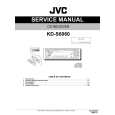 $4.99 KD-S6060 JVC
Service Manual Complete service manual in digital format (PDF File). Service manuals usually contains circuit diagr…
|
|
|
> |
|