|
|
|
Categories
|
|
Information
|
|
Featured Product
|
|
|
 |
|
|
There are currently no product reviews.
 ;
Exactly what was needed to assess the product - excellent value and great service
;
A site where discontinualed schematic diagrams and back dated information can be found on discontinued radios tv's and any electronic equipment can be found. Newer manuals either Service and operating manuals. Radio amateurs should find this site a great source for ham radio equipment manuals. I will return to this site should I need information on any electrical equipment. priced easy to download in a PDF format and print pages need to undertake the repair.
;
Quality scan of the original. All the detail necessary to troubleshoot, repair and adjust the unit. I'm sure I will be downloading more manuals in the future as the need arises.
;
Exactly as described, a Service Manual complete with the schematics and PCB layout delivered in a timely manner. Many thanks for the great service.
 ;
some of the writing is a bit blur but the part in the schmatic was great and i have fixed the machine thanks
KD-S6250/KD-S580
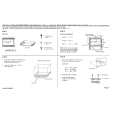
Removing the feed motor ass�y (See Fig.10)
Prior to performing the following procedure, remove the CD mechanism control board, the front bracket (loading motor) and the CD mechanism ass�y. 1. Remove the two screws K and the feed motor ass�y.
FD screw Part n Feed motor ass�y Part O
K
Pickup unit
FD gear
Pickup unit
Fig.10
Removing the pickup unit (See Fig.10 and 11)
*Prior to performing the following procedure, remove the CD mechanism control board, the front bracket (loading motor), the CD mechanism ass�y and the feed motor ass�y. 1. Detach the FD gear part of the pickup unit upward. Then remove the pickup unit while pulling out the part n of the FD screw. ATTENTION: When reattaching the pickuap unit, reattach the part o of the pickup unit, then the part n of the FD screw. 2. Remove the screw L attaching the nut push spring plate and the pickup mount nut from the pickup unit. Pull out the FD screw. Fig.11
FD screw
L
Nut push spring plate Pickup mount nut
Pickup unit
Removing the spindle motor (See Fig.12 and 13)
Prior to performing the following procedure, remove the CD mechanism control board, the front bracket (loading motor), the CD mechanism ass�y and the feed motor ass�y. 1. Turn up the CD mechanism ass�y and remove the two springs p on both sides of the clamper arms. Open the clamper arm upward. 2. Turn the turn table, and remove the two screws M and the spindle motor.
p
p
Fig.12
Spindle motor
M
M
Fig.13
1-10
 $4.99 KD-S6250 JVC
Owner's Manual Complete owner's manual in digital format. The manual will be available for download as PDF file aft…  $4.99 KD-S6250 JVC
Parts Catalog Parts Catalog only. It's available in PDF format. Useful, if Your equipment is broken and You need t…
|
|
|
> |
|