|
|
|
Categories
|
|
Information
|
|
Featured Product
|
|
|
 |
|
|
There are currently no product reviews.
 ;
High quality scan of the manual, very quick and easy download and very important, a truly honest price. thanks
 ;
Minden rendben, de két megjegyzés, az ábrák nehezen kivehetők és a fizetés után 24 órát kell várni a letöltésre.
;
Manual correct, and complete. Downloads cleanly. Format of manual was presumably difficult to PDF to A4, but works reasonably well.
;
This was a hard to find manual. When I did find it , some sites wanted way too much for the file.
Owner-manual .com had it for a really reasonable price. Not only that but it was sent very quickly and was a quality scanned document, unlike some others I purchased from a different site.
Good job guys!!
Larry
;
Fast and courteous service. Product delivered as described. Thank you.
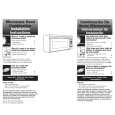
Using Your Microwave Oven
Using the Cooktop Light
1. Turn on light and choose the brightness from 0 to 100%. TOUCH LIGHT ON/OFF
LIGHT
ON / OFF
Using the Sensor Nite Lite 1. TURN to select Custom. PRESS for next screen. 2. TURN to select Nite Lite. PRESS for next screen. 3. TURN to Set Level and PRESS. 4. TURN the Nite Lite monitor from 0% to 100%.
Current room light level
Set activation level
To increase cooktop brightness, TOUCH the Upper arrow. To decrease cooktop brightness, TOUCH the Lower arrow. 2. Turn off light when desired. TOUCH LIGHT ON/OFF
To increase activation level turn the MICRO-DIAL� control forward to desired level and PRESS. NOTE: The current room light level will fluctuate based upon current light conditions.
Using the cooking rack
The cooking rack gives you extra space when cooking in more than one container at the same time.
Inserting the rack
Insert the rack securely into the rack supports on the side walls of the oven.
NOTES: � Only use the cooking rack when cooking at more than one level. � Use rack only in the microwave oven. � Do not let food container on rack touch the top or sides of the oven. � Do not use rack with browning dish. � Do not place a metal cooking container on rack. � Do not store the metal rack in the oven. Do not operate the oven with the metal rack stored on the floor of the oven. Damage to the interior finish will result. � Use oven mitts to remove items from microwave oven. � Do not cook foods directly on rack. Put them in microwave-safe containers first.
21
|
|
|
> |
|