|
|
|
Categories
|
|
Information
|
|
Featured Product
|
|
|
 |
|
|
There are currently no product reviews.
 ;
This place is amazing. Got our manual in a few hours. Print quality is excellent. Even the manufacturer didn't have this manual. The price was excellent. How many more stars can I give them? More than satisfied.
;
This was a very hard to find manual. The unit is long discontinued and Pioneer doesn't retain every manual for every model. Thanks owner's-manual.com!
 ;
I'm so glad I was able to find a site to download my missing manuals. Very reasonable prices and they kept me informed about the process and I had my manual within less than a day. The only thing I wish was an option is a 100% English version with no spanish or anything. But overall great site.
;
The manual is complete with excellent quality! One suggestion, show number of pages and weather it is multi-lingual. The AD 600 Manuel is about 76 pages and over half is non English. This results in a larger print job than usually needed. Having this information, one could select the desired pages for printing.
;
I've been looking for a copy of the original user/owner manual. Just what the doctor ordered, thank you.
Using Your New Projection TV (continued)
Using the Yellow Labeled Buttons for PIP Operations
CH
JUMP
or
0-9
and ENTER
or
Press to select the TV channel on which the symbol �b� is displayed. (for details, see �Watching the TV� on page 16) Speed Surf 1 Press and hold CH + or � to change the channel number rapidly. 2 Release to display the desired channel.
REFER TO THE ILLUSTRATION OF THE REMOTE CONTROL ON THE INSIDE FRONT COVER OF THIS MANUAL AS YOU REVIEW THIS CHART
(white labeled button)
ANT
Press to change between the VHF/UHF input and the AUX input for the picture on which the symbol �b� (or �B�) is displayed.
(white labeled button)
AUDIO
Press to alternate sound between the main picture and the window picture. The symbol � � will appear for a few seconds to indicate which picture�s sound is being received. This is useful when you need to copy down information of the main picture. Press to freeze the desired scene in the main picture. The frozen picture is displayed in the window picture while viewing the normal picture in the main picture. The window picture size is automatically changed to 1/9 if it was 1/16. Press again to resume normal PIP viewing. Press to switch the audio and video of the main picture and the window picture. Each time you press SWAP, the picture and sound of the two will be exchanged.
Note: � If one of the pictures received through PIP is snowy, the entire screen may become unstable. In this case, erase the snowy channel. (see �Channel Skip/ Add� on page 27)
FREEZE
SWAP
20
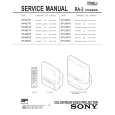 $4.99 KP46C70 SONY
Service Manual Complete service manual in digital format (PDF File). Service manuals usually contains circuit diagr…
|
|
|
> |
|