|
|
|
Categories
|
|
Information
|
|
Featured Product
|
|
|
 |
|
|
There are currently no product reviews.
 ;
The purchased manual is an high-quality scan of the original JVC paper-based Service Manual. The Service Manual includes the Owner´s Manual, so you do not have to buy both of them.
 ;
It paid to find this Service Manual, couldn't find it anywhere else. Exactly what I wanted. Received within 24 hours.
;
Complete manual with clear schematic diagrams and printed circuit board layouts of two variants of the headset and the transmitter an old and a new version.
Also shows how the headset and the transmitter is opened and how transmitter and receivers can be adjusted and where to measure.
I had no problems to repair the headset using this service manual.
;
Excellent printing quality. A complete and very useful manual with all details.
;
This is a great site. I placed my order and by the next am it was available for download. Had some problems with some missing copy on some pages. Once I brought the error to the OMC's attention, the issue was resolved. I'll come back again.
KP- 48PS1/53PS1/61PS1 48PS1K/53PS1K/61PS1K KRM-892
2. Blue Adjustment
1) Place a cap on the red lens so that green and blue colors are displayed. 2) Press �3� button on the commander to select BLU mode. 3) Adjust the following items so that blue lines overlap with green lines. � BLU CENT (horizontally/vertically) Adjust so that the pictures coincide in the center of screen.
Push the joystick to Push the joystick to
� BLU SIZE (horizontally/vertically) Adjust so that each distance from center to left end and to right end is equal. Adjust so that each distance from center to top and to bottom is equal.
Push the joystick to
Push the joystick to Push the joystick to Push the joystick to
Push the joystick to
Push the joystick to
� BLU PIN (vertically) Adjust so that upper and lower horizontal lines on the screen become straight.
� BLU SKEW (horizontally/vertically) Correct the tilt of horizontal lines and vertical lines.
Push the joystick to
Push the joystick to
Push the joystick to
Push the joystick to
� BLU KEY (vertically) Adjust so that upper and lower horizontal lines on the screen become parallel.
Push the joystick to
Push the joystick to
Push the joystick to Push the joystick to
� BLU LIN (horizontally) Adjust so that each space at the right end and at the left end of screen is equal.
4) Press �9� button on the commander to enter the fine adjustment mode. 5) Make fine adjustment so that horizontal lines and vertical lines overlap with green lines. 6) Press �9� button on the commander to return to the rough adjustment mode.
Push the joystick to
Push the joystick to
� 39 �
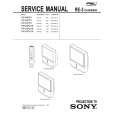 $4.99 KP48PS1 SONY
Owner's Manual Complete owner's manual in digital format. The manual will be available for download as PDF file aft…
|
|
|
> |
|