|
|
|
Categories
|
|
Information
|
|
Featured Product
|
|
|
 |
|
|
There are currently no product reviews.
 ;
very helpful, the information in these manuels are very detailed
;
Please tell us what you think and share your opinions with others. Be sure to focus your comments on the product. You will receive $2.00 of store credit for Your review.
;
Please tell us what you think and share your opinions with others. Be sure to focus your comments on the product. You will receive $2.00 of store credit for Your review.
;
Good copy and great customer service! There was some confusion with my order and it was resolved promptly!
;
Having bought a pre-owned Sony FM stereo tuner through eBay, it came without any manuals. It soon became clear that to get the best from this excellent tuner I needed a decent manual because much of the operation was not intuitive to a newboy to hi fi like me. I managed to download the official Sony multi-lingual manual from Owner-Manuals.com with no problem at all - a really quick and easy service. I'm very glad I did because I found out all the operations of the tuner and was then able to not only set it up quickly but also to get much more from it that poke-and-hope trialling would ever achieve. In my book $4.99 very well spent.
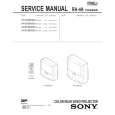
KP-53XBR300/61XBR300
RM-Y902 RM-Y902
[GREEN REGISTRATION ADJUSTMENT]
<GREEN CENTER, SIZE> 1. Select GRN CENT or GRN SIZE with the 1and 4 keys on the remote commander. 2. Adjust the crosshatch line goes center horizontally (GRN CENT) and set the size correctly (GRN SIZE) with the joystick on the remote commander.
<FINE ADJUSTMENT> 1. Press 9 key on the remote commander to shift to the fine adjustment mode. The green marker (in the GRN mode) appears on the center of the screen. 2. Use the 1and 4 keys or the joystick on the remote commander, move the marker (see below) everywhere you want to adjust and adjust with the joystic keys on the remote commander.
GRN CENT
000
000
Marker movement by the 1 and 4 keys:
<GREEN SKEW> 1. Select GRN SKEW with the 1and 4 keys on the remote commander. 2. Adjust the crosshatch line goes straight vertically and horizontally with the joystick on the remote commander.
Press once the joystick the marker turns sreen to white. Then you can move the marker up and down left and right.
GRN SKEW
000
000
3. Press 9 key on the remote commander to shift to the rough adjustment mode. <GREEN PINCUSHION> 1. Select GRN PIN with the 1and 4 keys on the remote commander. 2. Adjust the crosshatch line goes straight vertically and horizontally with the joystick on the remote commander.
GRN PIN
XXXX
000
GRN PIN
� 51 �
|
|
|
> |
|