|
|
|
Categories
|
|
Information
|
|
Featured Product
|
|
|
 |
|
|
There are currently no product reviews.
 ;
5 star quality on these downloadable manuals. Easy to read and all the information is there. A must when doing a custom install or needing to service your precious old school electronics.
;
So usefull to make my installation a breeze. 5 stars on quality.
;
very helpful, the information in these manuels are very detailed
;
Please tell us what you think and share your opinions with others. Be sure to focus your comments on the product. You will receive $2.00 of store credit for Your review.
;
Please tell us what you think and share your opinions with others. Be sure to focus your comments on the product. You will receive $2.00 of store credit for Your review.
KP- 48PS1/53PS1/61PS1 48PS1K/53PS1K/61PS1K KRM-892
2. Blue Adjustment
1) Place a cap on the red lens so that green and blue colors are displayed. 2) Press �3� button on the commander to select BLU mode. 3) Adjust the following items so that blue lines overlap with green lines. � BLU CENT (horizontally/vertically) Adjust so that the pictures coincide in the center of screen.
Push the joystick to Push the joystick to
� BLU SIZE (horizontally/vertically) Adjust so that each distance from center to left end and to right end is equal. Adjust so that each distance from center to top and to bottom is equal.
Push the joystick to
Push the joystick to Push the joystick to Push the joystick to
Push the joystick to
Push the joystick to
� BLU PIN (vertically) Adjust so that upper and lower horizontal lines on the screen become straight.
� BLU SKEW (horizontally/vertically) Correct the tilt of horizontal lines and vertical lines.
Push the joystick to
Push the joystick to
Push the joystick to
Push the joystick to
� BLU KEY (vertically) Adjust so that upper and lower horizontal lines on the screen become parallel.
Push the joystick to
Push the joystick to
Push the joystick to Push the joystick to
� BLU LIN (horizontally) Adjust so that each space at the right end and at the left end of screen is equal.
4) Press �9� button on the commander to enter the fine adjustment mode. 5) Make fine adjustment so that horizontal lines and vertical lines overlap with green lines. 6) Press �9� button on the commander to return to the rough adjustment mode.
Push the joystick to
Push the joystick to
� 39 �
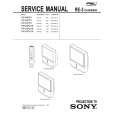 $4.99 KP61PS1 SONY
Service Manual Complete service manual in digital format (PDF File). Service manuals usually contains circuit diagr…
|
|
|
> |
|